
How to Get Subcontractors to Finish Punch Lists
Subcontractors don’t finish punch work because they either lose the list, forget the priorities, or get pulled onto another site. PunchPad fixes all three by logging tasks early, tagging subs, and sending one live link that updates in real time—so you stop repeating yourself and start closing jobs faster. PunchPad makes it simple to send a punch list report to every sub without creating separate PDFs.
5 Ways to Get Subcontractors to Finish Punch Lists:
1. Start the punch list early during pre-drywall or framing walkthroughs
2. Assign each task to a specific subcontractor with clear responsibility
3. Include photos, notes, and locations for every punch item
4. Use real-time tracking to monitor progress by trade or status
5. Send one live link that updates automatically instead of resending screenshots
Struggling to get subcontractors to actually finish punch items? Part of the problem is tool choice. When subs are confused about which Excel file is current or can't open attachments on their phones, they stop checking. Here's a practical guide on Excel vs. punch list software to help you decide when it's time to switch.
Start the Punch List Early—Don’t Wait Until the End
Waiting until final walkthrough to build your punch list? That’s a recipe for chaos and missed tasks. Best practices say start logging punch items early during pre‑drywall or framing walkthroughs. That builds a rolling list subs can act on, instead of a massive crash at the end that nobody wants to handle.
Learn more about why smart builders start punch lists on day one, not just at closeout.

Assign Responsibility—Tag the Right Sub with a Live Link
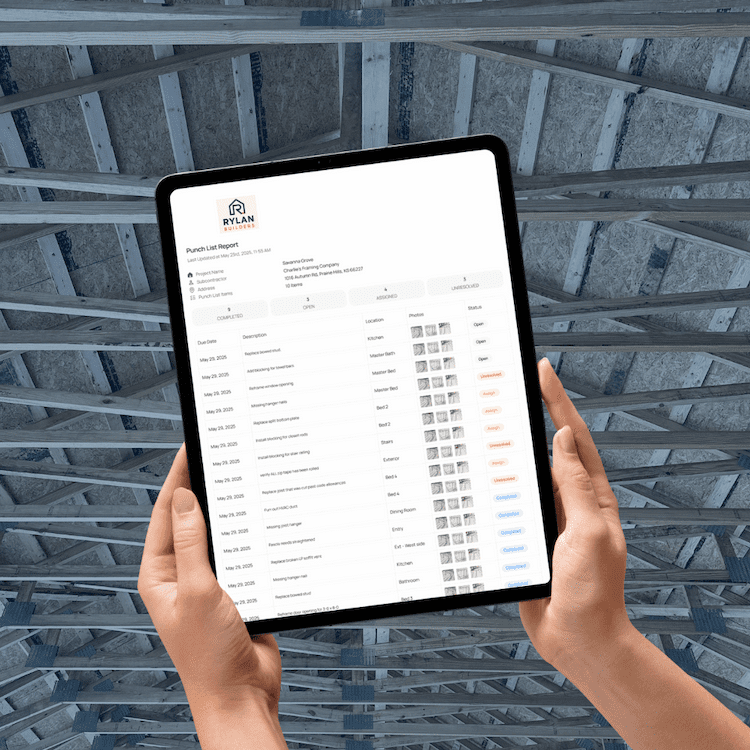
If you don’t tag a specific subcontractor, chances are no one takes action. Builders who get subcontractors to finish punch items tag each task to a crew and send a live link. The subs only see their tasks, and you eliminate confusion—no logins or downloads required.
PunchPad makes it simple to send a punch list report to every sub without creating separate PDFs.
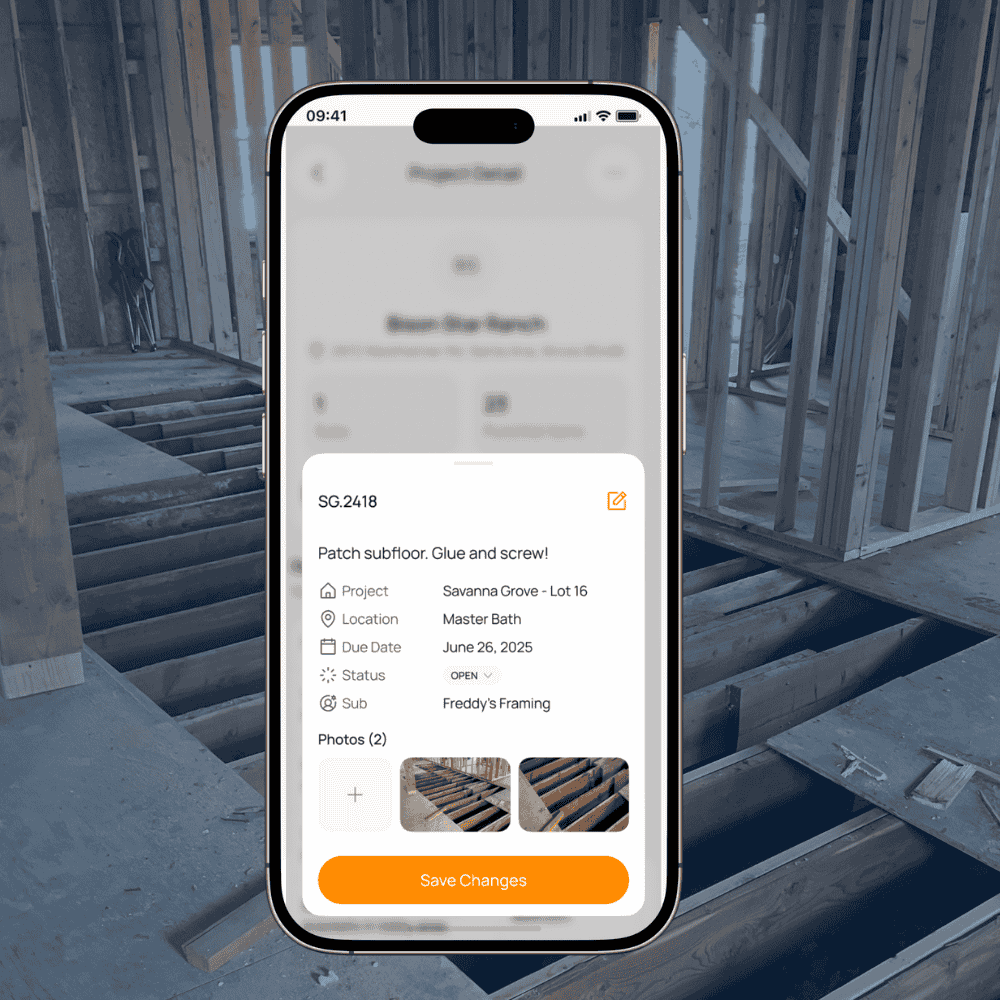
Use Real Photos and Notes to Get Subs to Finish the Punch List
Ambiguous punch descriptions cause wasted time. To get subcontractors to finish punch items correctly, include a photo, note, and location for every task. Visual clarity helps subs know what exactly needs fixing—no guesswork, no delay. With PunchPad, you can share punch lists with photos attached so subs know exactly what to fix.
See our complete guide on punch list practices for builders.
How Builders Get Subs to Finish the Punch List
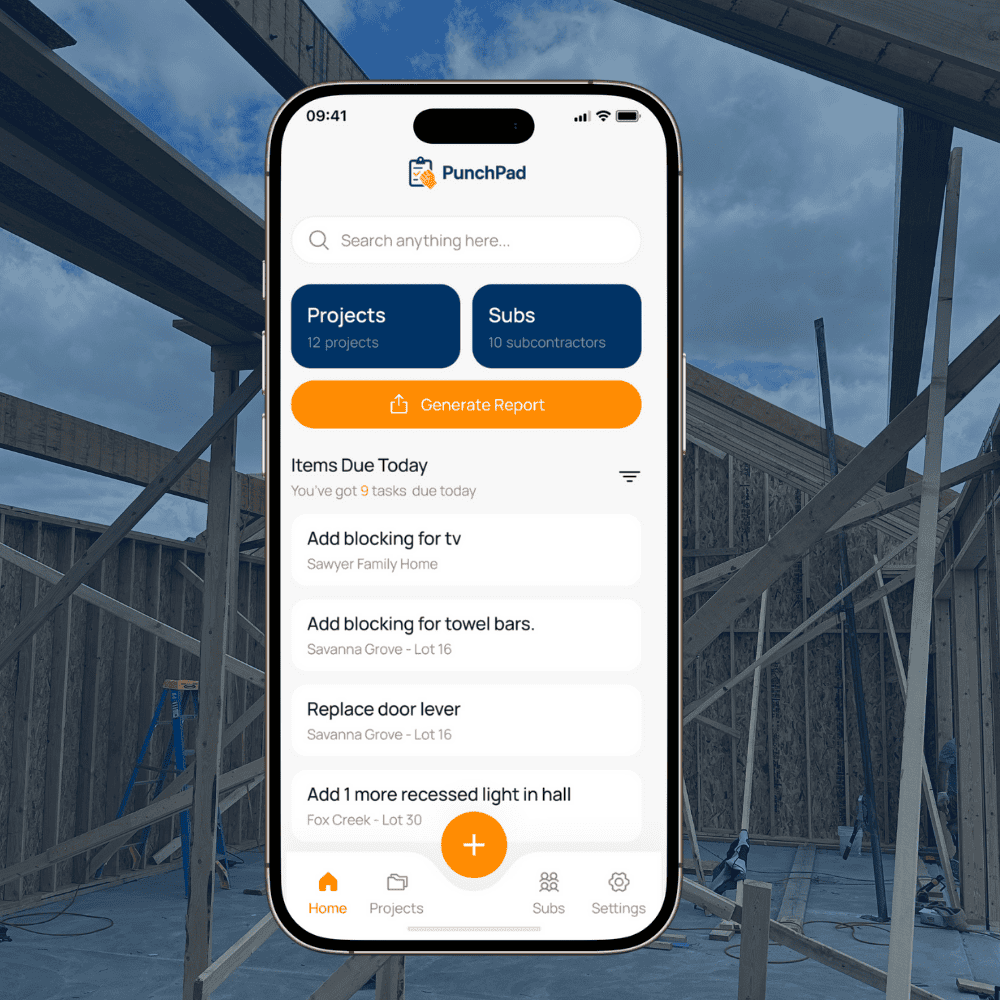
You shouldn’t chase subs with texts, emails or phone calls to find out what’s done. Digital punch list systems like PunchPad let you filter by trade, room, or status so you can see—and follow up—quickly. With PunchPad, subs see their list, and you see what’s completed and what’s outstanding in one glance.
Here’s a full guide on how to send punch lists to subcontractors without PDFs or back-and-forth texts.
If you want a tool that keeps every trade accountable from start to finish, the best punch list app will let you assign tasks, add photos, and track status right from the field.
Some trades are harder to close out than others. Here's how to handle the worst offenders: getting your electrician, painter or drywaller to actually finish the punch list.
Stop Resending Screenshots—Use Live Updating Links
The moment a task changes, the old screenshot is already obsolete. PunchPad updates your list in real time, so you don’t have to resend anything. Subs open the same link—they now see the latest version, without extra messages or confusion. Tracking construction deficiencies is how top home builders can increase profits reduce construction delays.
Ready to try it yourself? Download PunchPadand start your free trial today.




“At closeout, instead of juggling emails, I share punch lists directly with subcontractors so everyone knows what’s left before handoff.”
Why This Works Better Than Texts, Paper, or Spreadsheets
Easily assign punch list items to subs
Instant visibility via shareable link
Added context with photo, notes, and due date
Dashboard filters keep things organized and monitored
Real-time updates eliminate confusion from outdated spreadsheets
Early logging reduces job closeout stress
