
The Punch List App Built for Builders, GCs, and Remodelers
Track punch list items without texts, callbacks, or outdated reports.
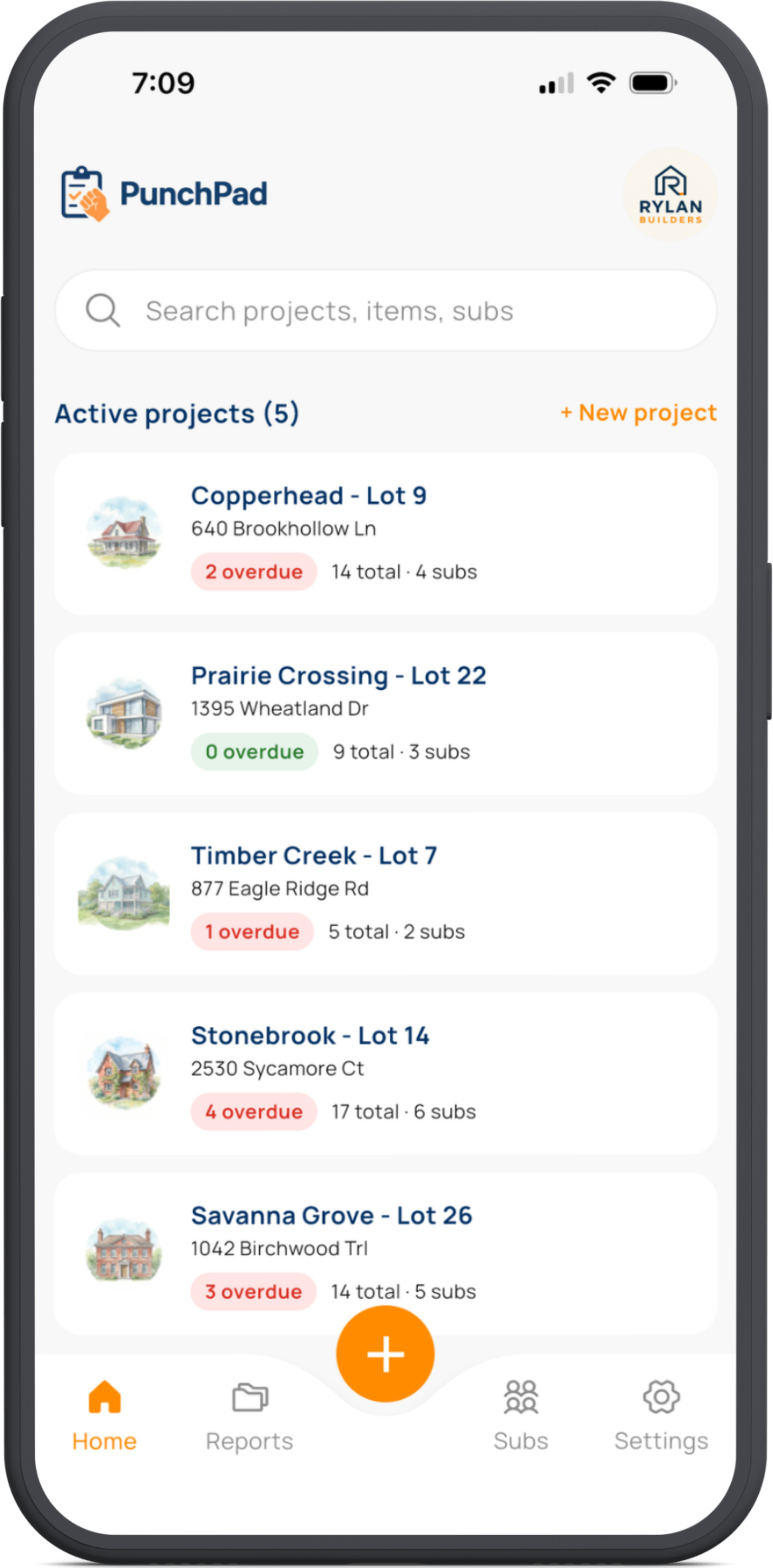
Log jobsite issues on your phone, add photos and due dates, assign trades and share a live punch list that updates itself. No logins or apps for your subs.
PunchPad was built on the jobsite, not in an office. Capture every issue in seconds, tag the trade, set the due date and snap a photo. Share a single live link so everyone sees the same list.
Works on every jobsite device — iPhone, iPad, and Android phones. See the punch list app for iPhone or punch list app for Android. Subs don’t need an app or login.
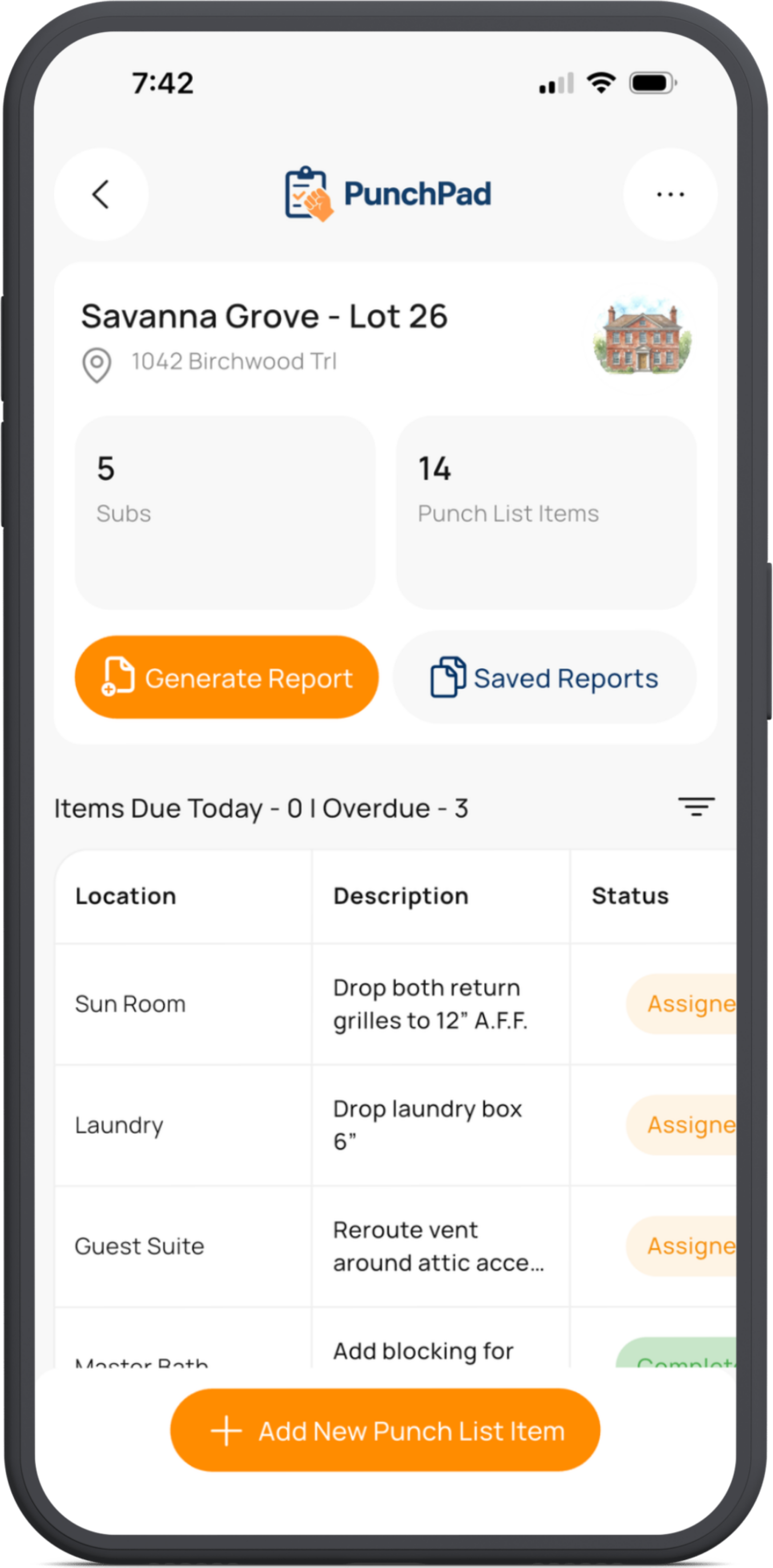
Start Free Trial
No credit card required.


Why not spreadsheets or construction management software?
Most builders either patch things together in spreadsheets or get stuck paying for oversized software. PunchPad is the middle ground: faster to use, easier to share, and built specifically for punch lists.
| Category | Spreadsheets | Construction Management Software | PunchPad |
|---|---|---|---|
| Workflow | Manual updates, endless versions, no photos | Complex to set up, updates locked behind logins | Real-time updates with photos and notes |
| Access | Files get emailed and lost | Everyone needs an account and training | One live report, no logins or app downloads for subcontractors |
| Cost | Cheap but labor-intensive | Expensive and built for large teams | Affordable and built specifically for punch list management |
Built by a custom home builder.
Trusted by pros.
Why punch lists fall apart — and how to fix them.
Punch lists often fail because the information is scattered across texts, emails and PDFs. Builders end up chasing updates instead of pushing the project forward. Stop assembling notes; start using a live list that updates itself.
Some builders try solving this by pushing everything into large, all-in-one construction platforms. That introduces logins, training, permissions, and extra tools subcontractors don’t want to use. Instead of simplifying punch lists, it adds friction and slows the job down.
Need a starting point? Grab a free punch list template to see what to track.
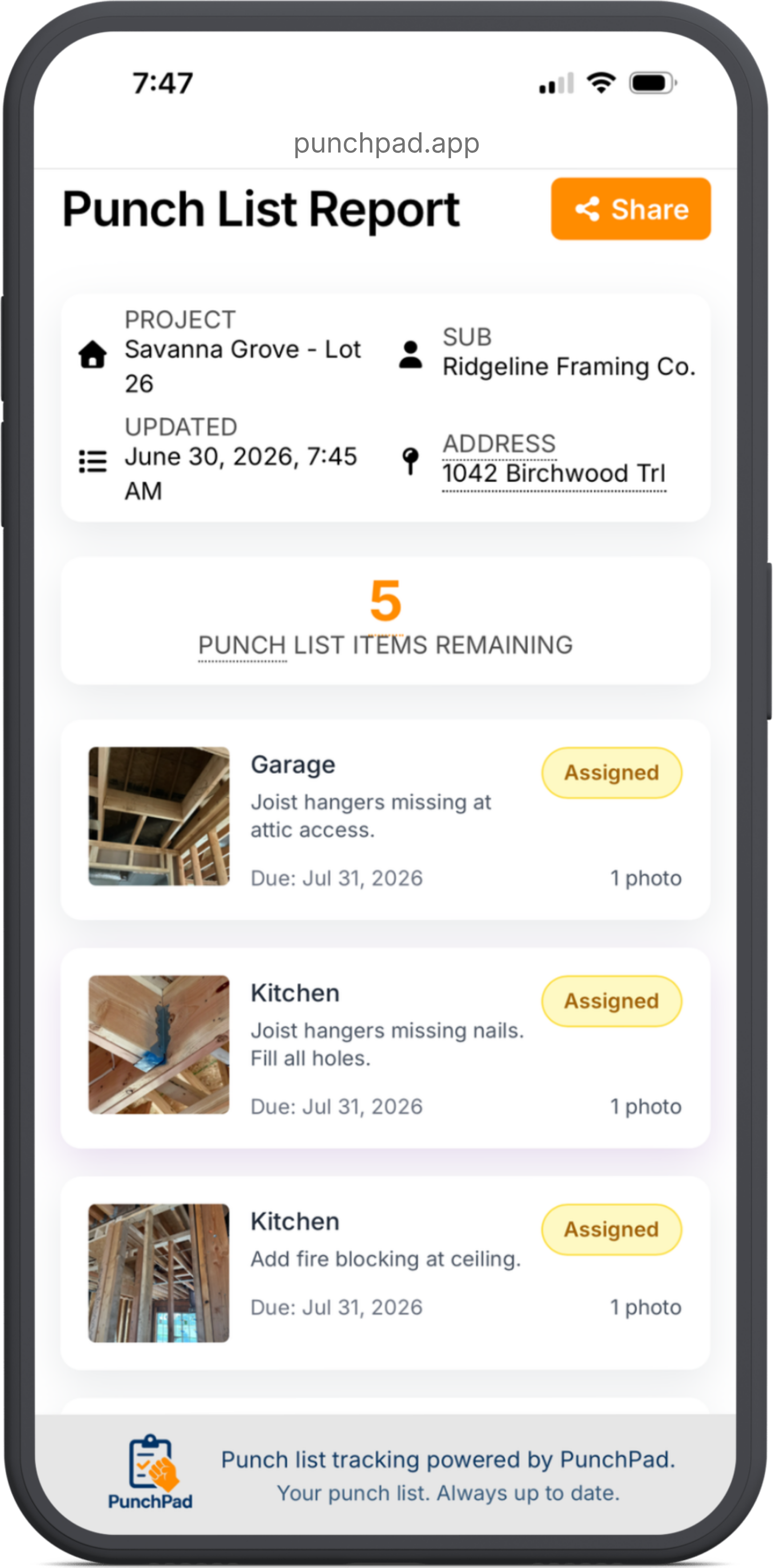
PunchPad takes a different approach. Builders create and manage the punch list in the app, then share one live punch list report that everyone can access with a link. No accounts, no logins, no app downloads required for subcontractors.
A foreman in the field, a project manager in the office, and every trade partner all see the same up-to-date punch list at every stage of the project. As items are added or completed, the live report updates automatically.
Built for iPhone, iPad, and Android.
If you build on iPhone, here's the punch list app for iPhone. Building on Android? See the dedicated punch list app for Android — full feature parity with the iPhone version, same fast logging from the jobsite.
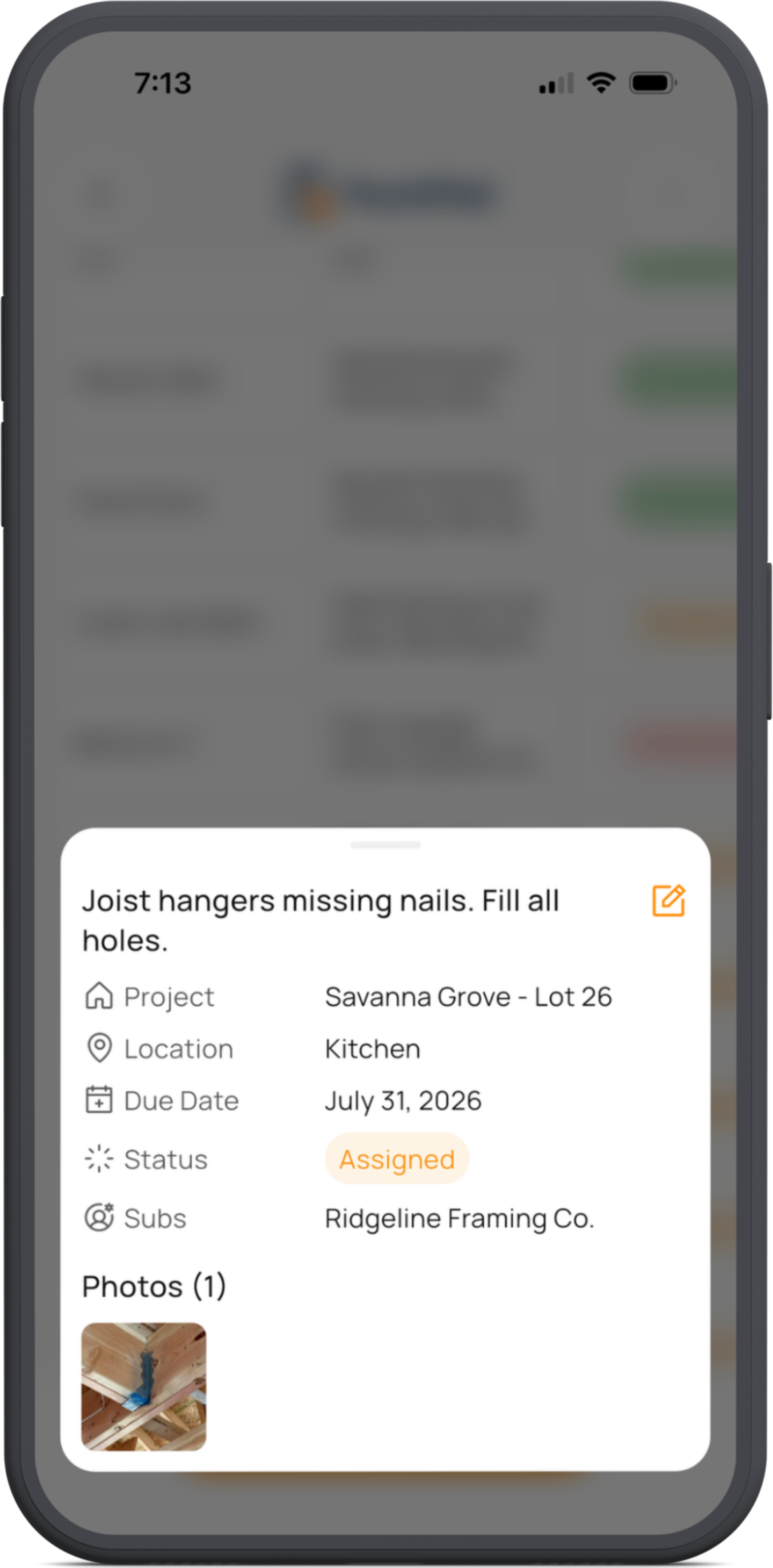
Capture and update punch lists without leaving the jobsite.
Snap a photo, speak the task, assign it on the spot. PunchPad keeps you moving - no spreadsheets, no rework, and no waiting to get back to the office.
PunchPad is a punch list app built for that workflow. Builders manage the punch list in the app, then share one live punch list report that subcontractors can open with a link. No logins, no accounts, and no app downloads required for subs.
Because the punch list report is live, everyone sees the same up-to-date list at all times. Field crews know exactly what needs to be fixed, subcontractors can share the report internally, and builders stop re-sending lists or explaining changes.
A punch list app should disappear into the workflow. PunchPad keeps punch lists moving by letting builders capture issues, assign trades, and share updates without stopping the job or managing versions.
Want a deeper breakdown of how builders actually use punch lists throughout a project? Read the Complete Punch List Guide to see what a punch list is, when to start one, what to include, and how to keep it current without relying on outdated spreadsheets or PDFs.
What’s the best way to manage punch lists during construction?
Punch lists don’t fail because the work is complicated. They fail because the information never stays together. Items get called out in passing, written down somewhere, snapped in a photo, or mentioned in a text. Nothing ever becomes the definitive list.
As the job moves forward, the punch list turns into a collection of half-records. A note without a photo. A photo without context. An item everyone remembers differently. When it’s time to assign work or follow up, builders are piecing things together instead of moving the job ahead.
That’s when time gets burned. The same issues get flagged again. The same explanations get repeated. Trades work from memory instead of clarity, and progress slows without anyone realizing why.
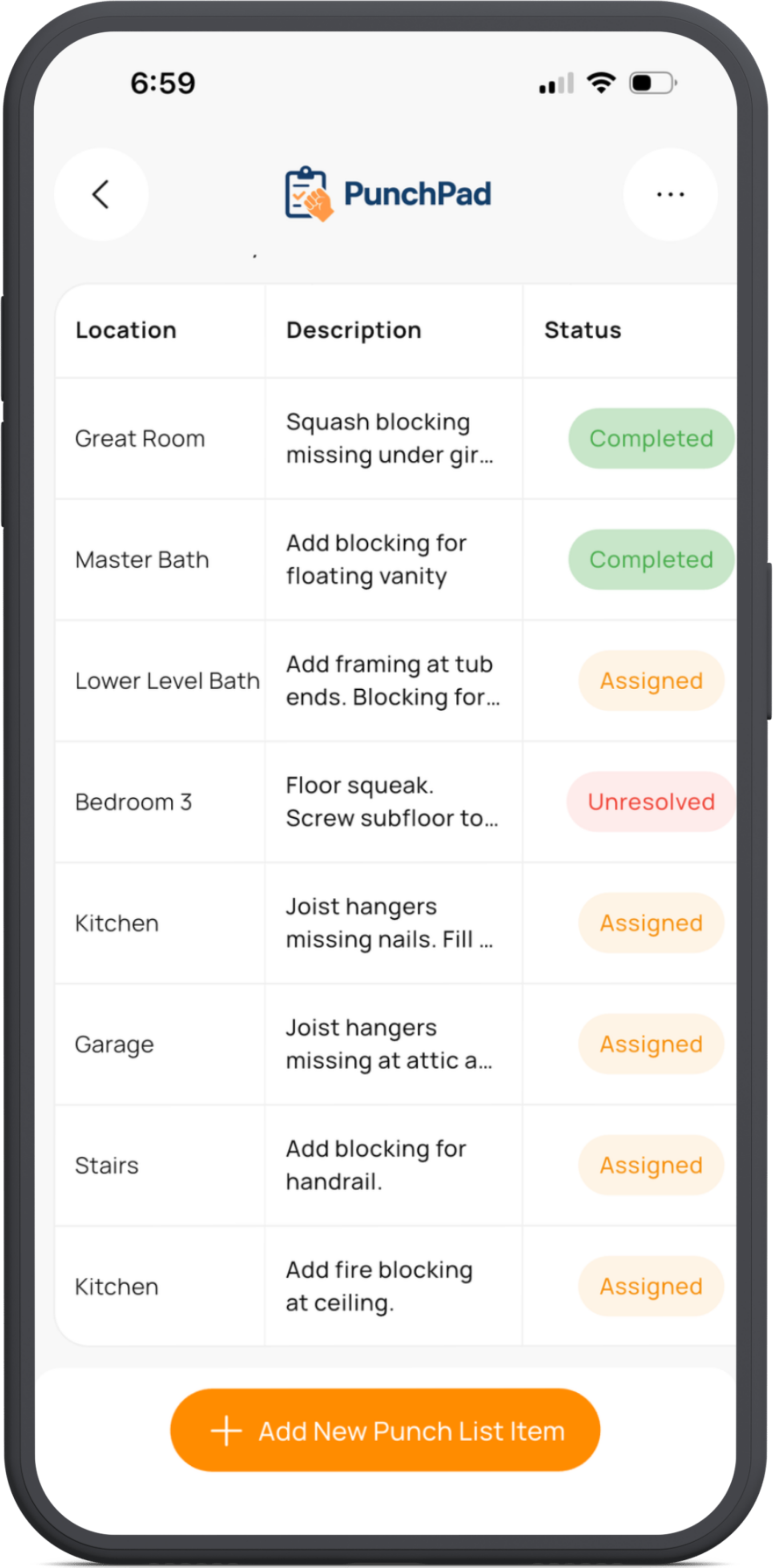
PunchPad replaces that chaos with a single punch list app. Every item, photo, and assignment lives in one place, and builders share a live punch list report so everyone is working from the same, current information at all times.
If you’re comparing options, see our breakdown of the best punch list apps for builders vs Fieldwire, Buildertrend, and Procore.
See how home builders are using the iPad punch list app to manage their projects in the field.
How do builders share punch lists with subcontractors?
Builders share punch lists a few common ways. Most of them create more work than they solve.
Builders usually email PDFs or struggle with bloated software; both create more work. PunchPad lets you share one live link - no logins, no portals.
PunchPad replaces all of this with a punch list app built for one job. Builders manage the punch list in the app, then share one live punch list report that subcontractors can open instantly. No logins. No portals. No version control issues.
Use PunchPad as a construction checklist app — build your own jobsite checklists item by item, assign trades, and share a live report with the whole team.
One list. One link. One source of truth.
“Our subs don’t need an app or login. They open the punch list and get to work.”
What makes a punch list system actually work?
PunchPad is a punch list app built to keep punch lists clear, current, and easy to act on throughout the project.
How do you keep a punch list up to date without re-sending files?
Assign an item once; the live report updates automatically—no PDFs or re‑sending files.
How do subcontractors view punch lists without apps or logins?
Subs open the live report on any device—no app, login or account needed
Do you need full project management software just for punch lists?
No. PunchPad is purpose‑built for punch lists: track issues, assign trades, and close jobs without extra steps or overhead.
Punch List App Built for Jobsite Speed
Built for the field, not the office. Create your list, share one live report and keep it current without PDFs or portals.
Cancel anytime
- Share one live punch list report with subcontractors
- Subcontractors are view-only. You control all updates
- Add photos, tag trades, and track status in the punch list app
- Built exclusively for punch lists, not an all-in-one platform
Questions? support@punchpad.app
FREQUENTLY ASKED QUESTIONS
What is a punch list app?
A punch list app is a tool builders use to track unfinished or incorrect work on a jobsite, document issues with photos and notes, and keep one list updated as items get fixed.
How does a punch list app work on an active jobsite?
Builders create punch list items as they walk the site, add photos and notes, assign trades, and share a live punch list report so everyone sees the same up-to-date list.
How do I track a punch list on a jobsite?
Use a punch list app to log issues as you walk the job, attach photos, tag the trade, and keep the list updated as work is completed.
How do I share a punch list with subcontractors?
Share a punch list by sending one live punch list report. Subcontractors open it on any device and always see the current list without PDFs, texts, or re-sending files.
How is a punch list app better than spreadsheets or PDFs?
Spreadsheets and PDFs create multiple versions and go out of date quickly. A punch list app keeps one list updated as items are added or completed, and you can share a live punch list report so everyone sees the same current information.
Do subcontractors need to download an app or create an account?
No. Subcontractors view the live punch list report in a browser on any device. No login, account, or app download is required.
Can punch lists be used throughout the project, not just at closeout?
Yes. Builders use punch lists from the framing stage through final walkthrough to track issues as the job progresses.
Does PunchPad work on both iPhone and Android?
Yes. PunchPad is available on iOS and Android, and live punch list reports can be viewed from any device with a browser. Download PunchPad on iOS or Android.
How to Stop Clients from Creating Their Own Punch List
Learn how clear processes prevent chaos during handoff. → Take Control of Your Projects.
How to Keep Subcontractors on Track
We broke down simple ways builders can stay ahead of delays and finger-pointing. If you’re tired of chasing updates and fixing sloppy work at the last minute, this one’s for you. → Keep Your Subs on Track.
Punch Lists Aren’t Just for Problems—They’re Your Daily Jobsite Tool
Daily walks are where the real work gets done. Learn how PunchPad helps crews track fixes, verify progress, and stay ahead. → Walk Smarter, Finish Cleaner.