
Punch List App for iPhone & iPad - Capture in Your Pocket, Review on the Big Screen
Track punch items on iPhone or iPad. Add photos, set due dates, assign trades, and share a live punch list link so everyone stays current.
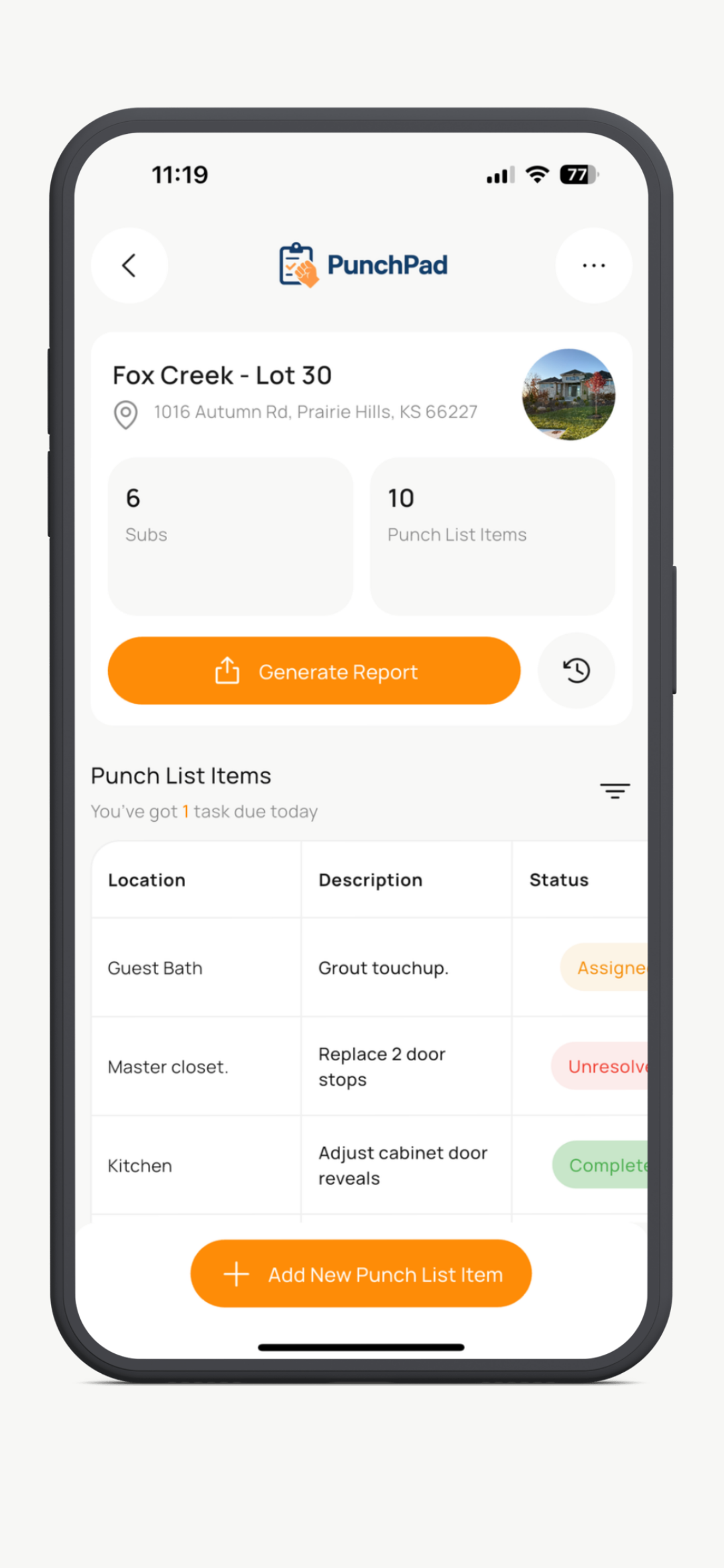
Every construction project has punch items. What creates callbacks and rework is not finding them. It is losing track of them after they are found.
PunchPad is a punch list app for iPhone built for custom home builders, general contractors, remodelers, and superintendents. Log punch items during walkthroughs, attach photos, assign trades, and keep one live list that stays current from first walkthrough to final completion.

Built by a custom home builder.
Trusted by Pros.
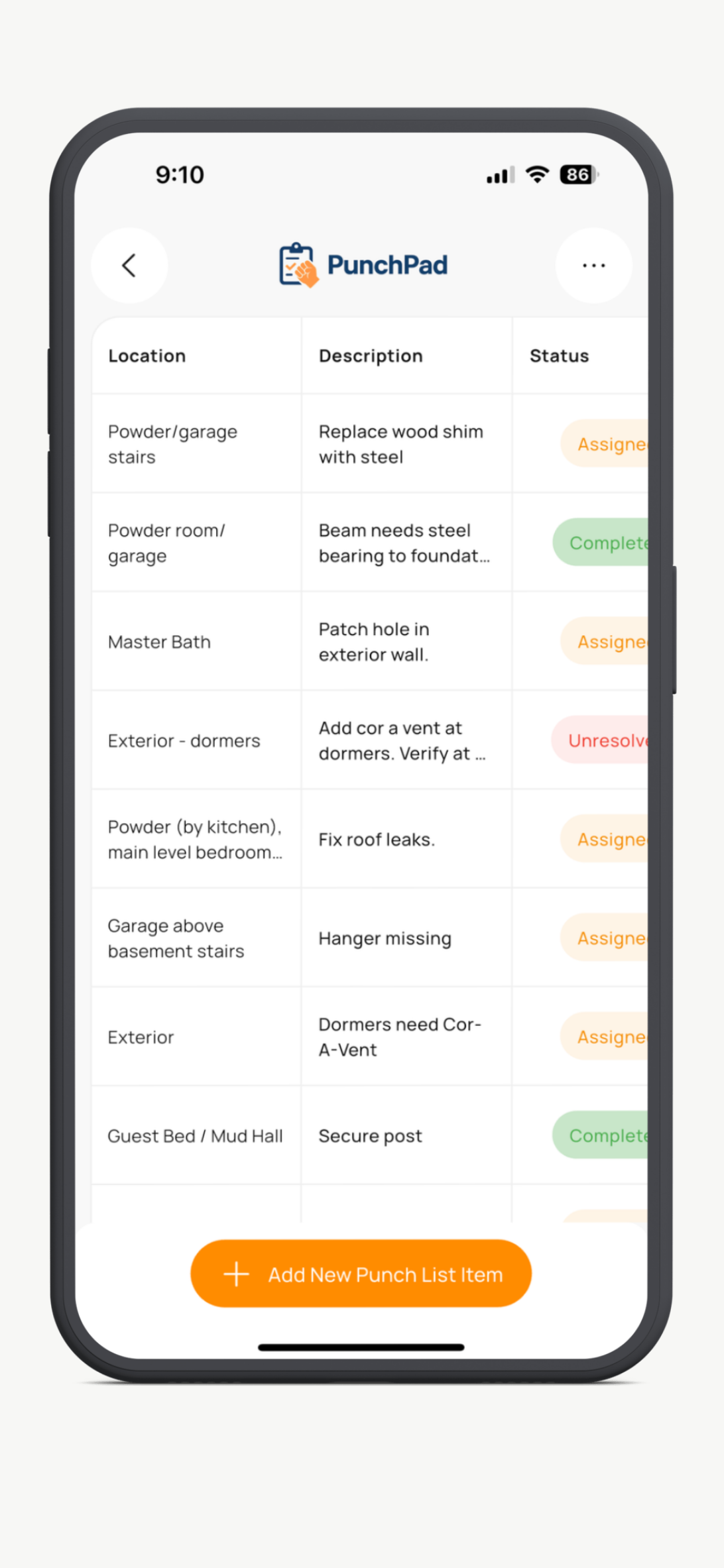
Why Punch Items Slip Through the Cracks
Punch lists fall apart when the details live in a superintendent’s head or across random notes and photos. Notes scribbled on paper get smudged or lost, iPhone photos stay on your camera roll and texts get buried in group threads.
Without a central place to log and track issues, small problems become big and turn into rework, callbacks and schedule delays.
What Makes the Best Punch List App for iPhone?
The best punch list app for iPhone does four things well: it lets you log a punch item without breaking your stride during a walkthrough, it ties a photo to every issue, it makes it easy to assign and track work by trade, and it lets you share the list with your subs without forcing them to download anything.
PunchPad was built by a custom home builder for that exact workflow. No bloat. No per-user fees. No subs locked behind logins. Just a fast iPhone punch list app that closes jobs cleaner.
Why Most iPhone and iPad Punch List Workflows Still Break Down
The problem is not finding issues on a walkthrough. The problem is running a punch list on your iPhone or iPad with tools that were never built for punch list tracking.
Notes and Markup Apps
Notes and markup apps are fine for a quick reminder or sketch. They are not a real punch list system. On iPhone or iPad there is no clean workflow for photos, trade assignment, due dates, or live status tracking.
Spreadsheets
Spreadsheets are too clumsy for real walkthrough use on an iPhone or iPad. They slow you down, separate the photo from the issue, and create version problems the minute something changes.
PDF Punch Lists
Marking up a PDF on iPad feels productive. Then you email it to the sub, fix three items the next day, and the PDF is already wrong. A static document cannot keep up with a list that changes every walkthrough.
Full Project Management Software
All-in-one construction software is too much overhead for simple punch list tracking. Builders do not need a giant platform on their iPhone or iPad just to document a missed detail, assign it to a trade, and move on.
See how PunchPad compares to Fieldwire, Buildertrend, and Procore.
A Better Way to Track Punch Items on iPhone
Walk the jobsite with your iPhone and log each punch item the moment you see it. Add a photo, tag the location and trade, set the due date, and keep moving.
Instead of writing notes to clean up later, PunchPad keeps every punch item organized from the first walkthrough through final completion.
This works best when punch items are tracked during daily or weekly walkthroughs, long before final closeout. The earlier issues are documented, assigned, and followed through, the fewer surprises show up at the end of the job.
iPhone or iPad? Use Both
The Closeout Device
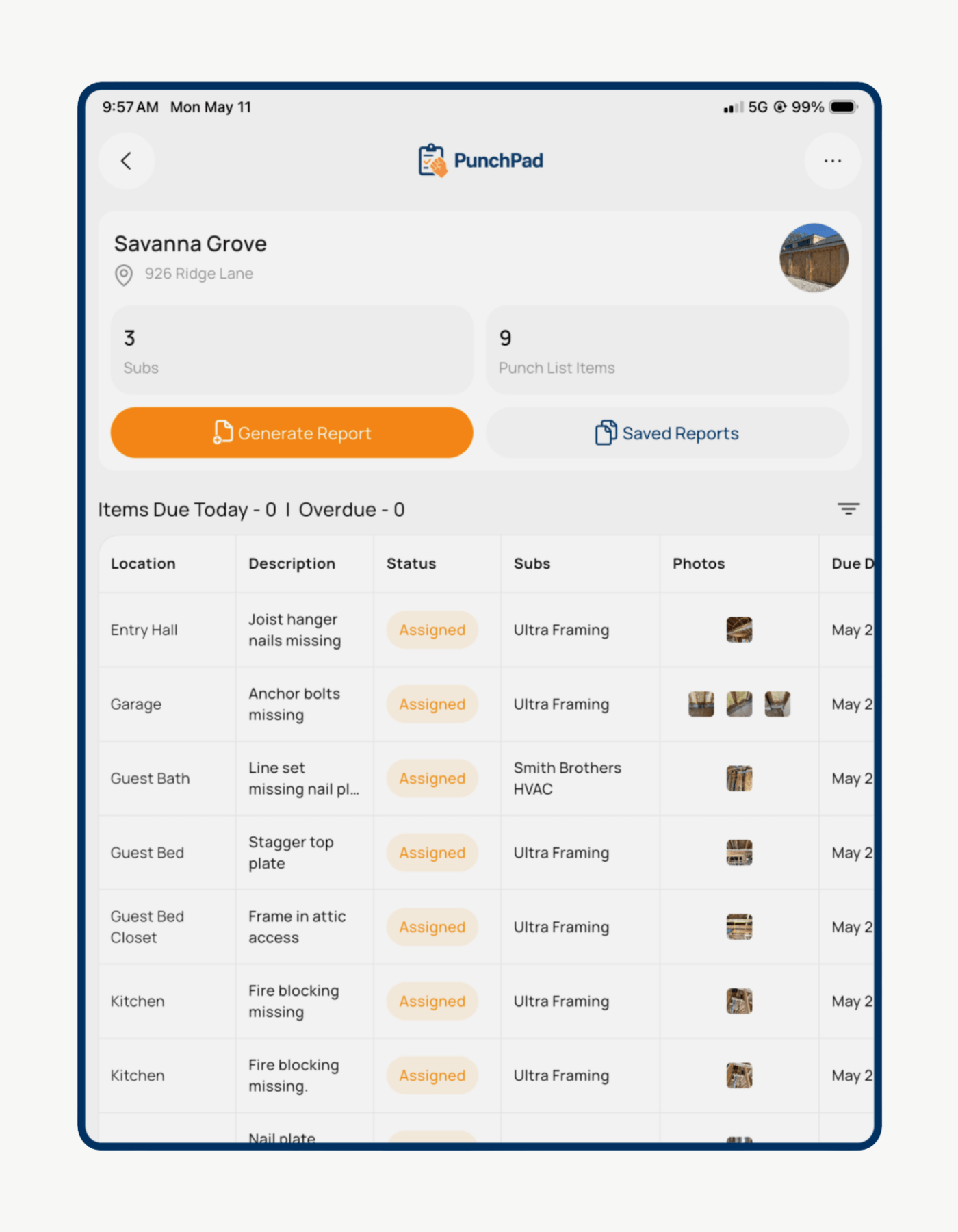
iPhone catches the item. iPad closes it out.
Sit down at the trailer, pull up the full list on the bigger screen, and triage by trade in a few minutes. Scroll a long punch list and actually read it. Then share one live report link. Your subs open it in a browser on their own phone, no app and no login, and see exactly what's theirs.
iPhone is fast for capture. iPad is better for everything after.
Walk the job with your iPhone and log items one-handed. Then sit down at the trailer, open the iPad, and review the full list on a bigger screen. Photos, locations, trades, and due dates side by side, no tapping in and out of each item.
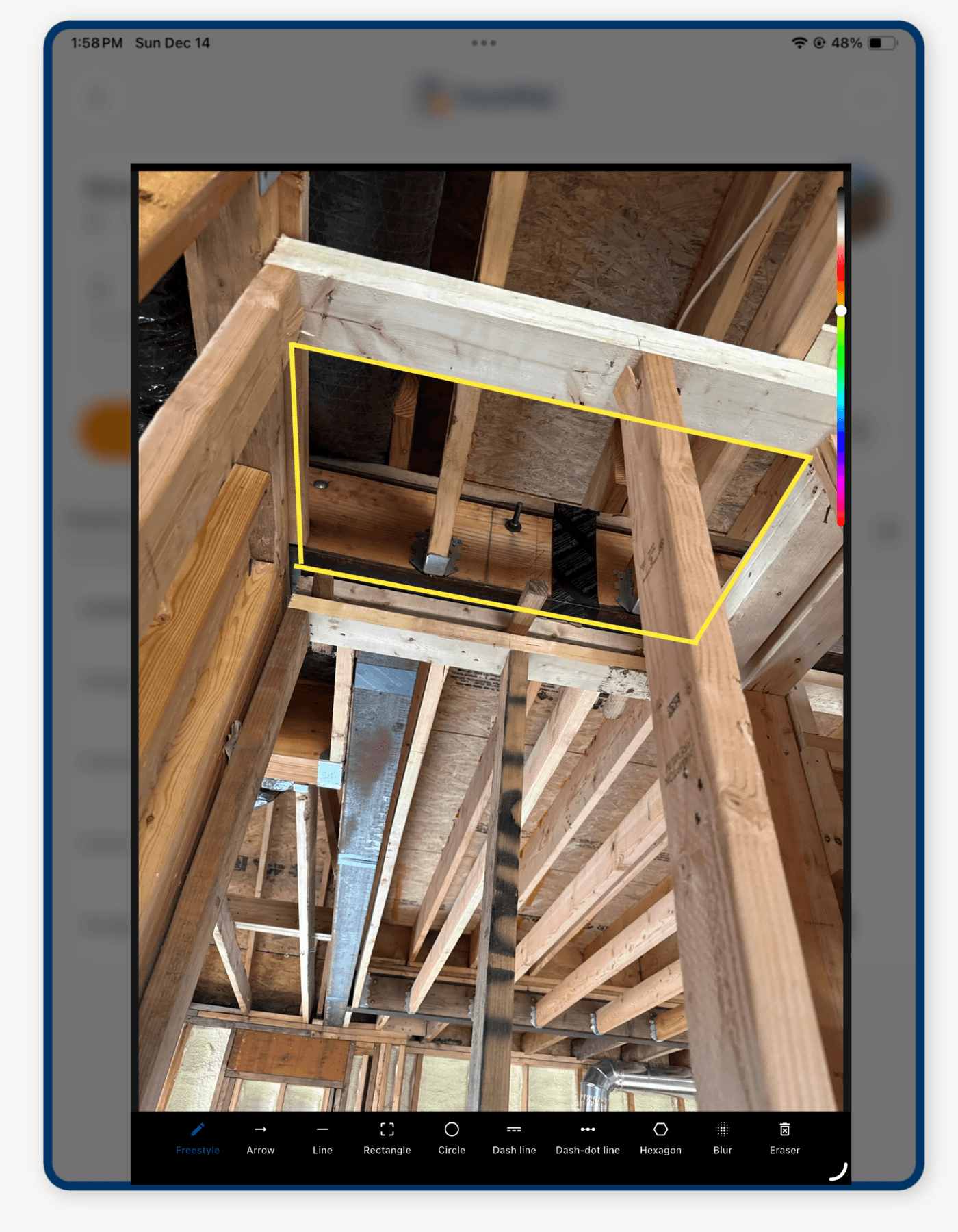
Apple Pencil is where iPad pulls ahead. Snap a photo of the cracked tile, circle the defect, draw an arrow at the missed caulk line, write "wrong color" across a finish sample. The marked-up photo stays tied to the punch item. The sub opens the live report and sees exactly what you meant. No vague description. No "which one?"
One subscription covers iPhone and iPad. Capture on one, review on the other. Same live list.
What Actually Works on an iPhone Jobsite Walk
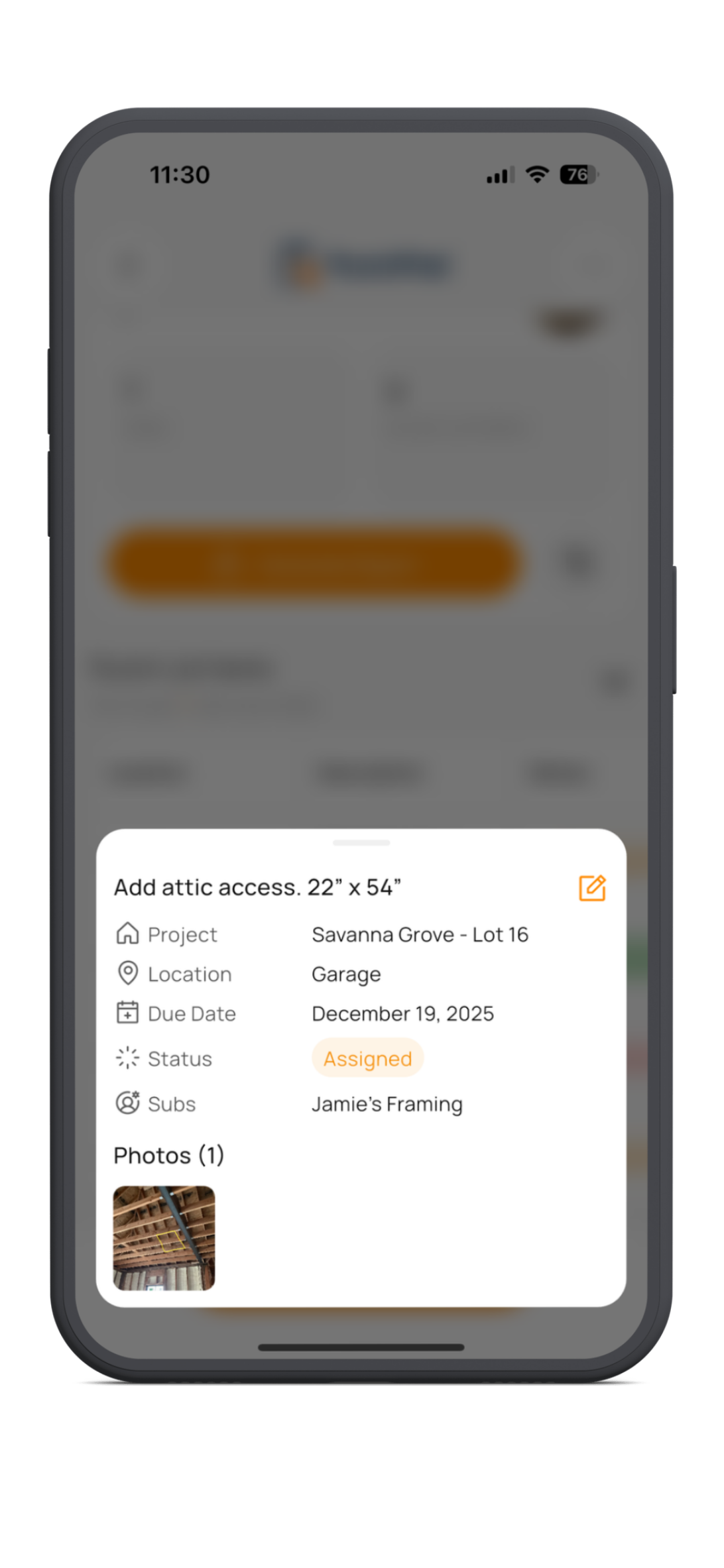
A punch list system only works if it is fast enough to use while you are walking the site. On iPhone, that means you can spot an issue, open the app, add the item, snap a photo, assign the trade, and move on without breaking your stride.
It also needs to be visual and clear. The photo, location, due date, and assigned subcontractor should all stay tied to the same punch item so there is no guessing later about what was wrong, where it was, or who owned it.
When punch items are easy to capture in real time, more issues get documented, fewer details get missed, and less rework shows up later.
Share Punch Lists From iPhone Without Logins or Confusion
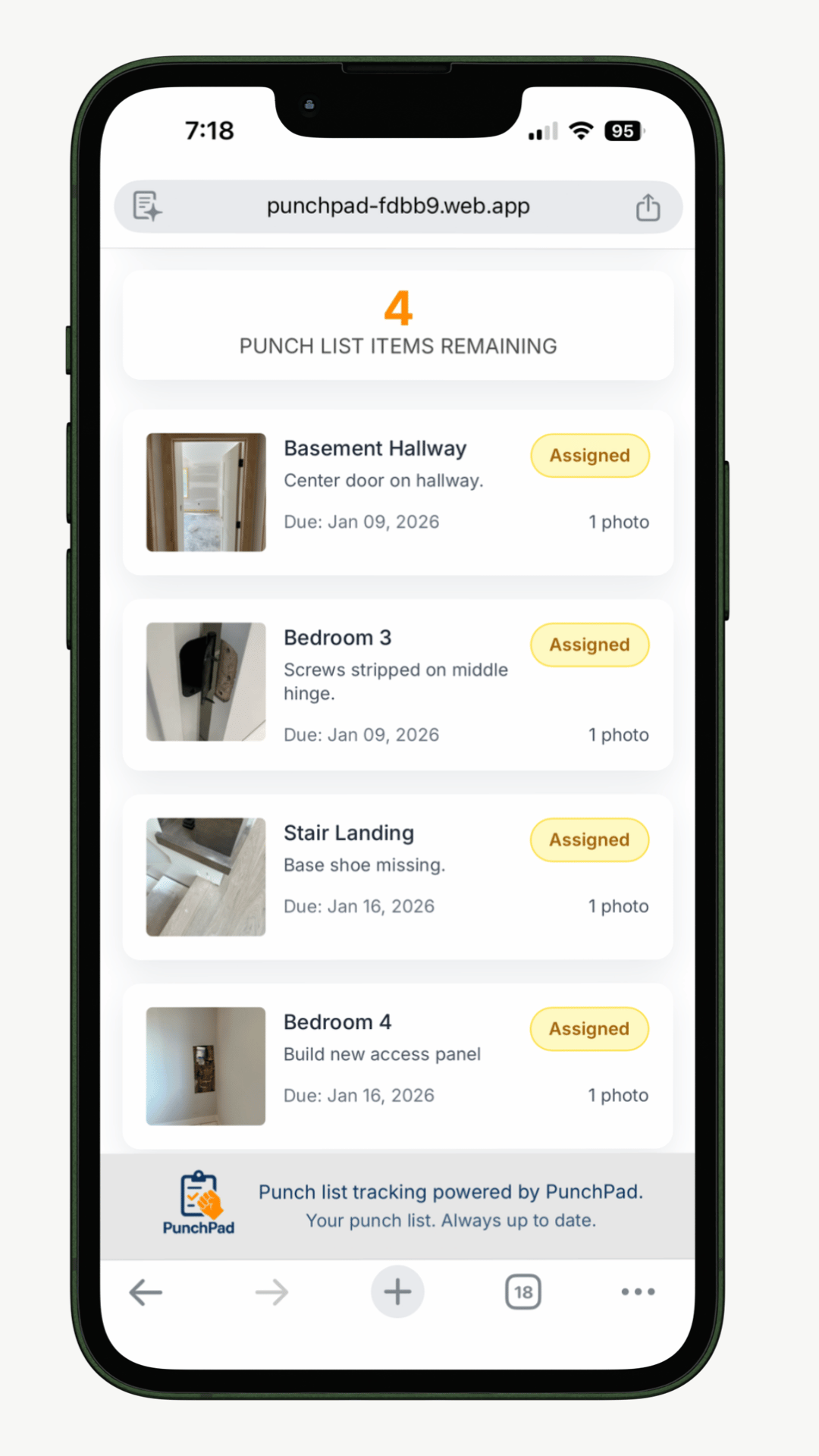
PunchPad lets builders share a live punch list from iPhone or iPad that anyone can open with a link. Subcontractors do not need an account, an app, or a login. Everyone sees the same current punch items, photos, statuses, and remaining work in one place.
That removes the usual back-and-forth. Subs can open the live report in their browser, forward it to their crews, and start fixing items without waiting on screenshots, revised PDFs, or follow-up texts explaining what changed.
Because the report stays live, the list stays clear. As punch items are added, updated, or completed, everyone is looking at the same up-to-date information instead of working from old versions.
One link. One live punch list. One source of truth.
See a punch list report from a real jobsite.
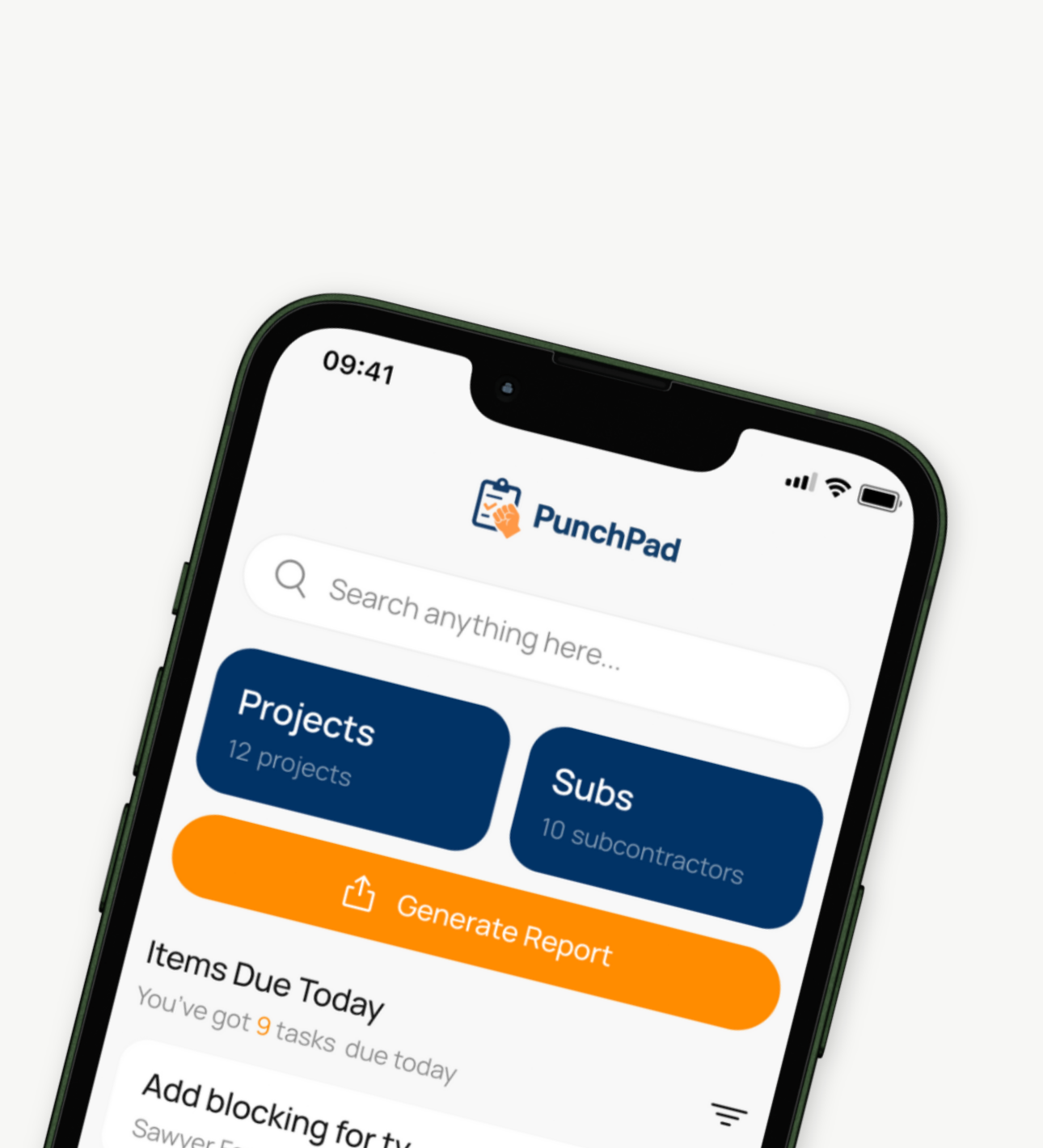
How Builders Use PunchPad on iPhone and iPad
PunchPad is a punch list app for iPhone built for custom home builders, general contractors, remodelers, and superintendents who need a faster way to track punch items in the field.
Builders use PunchPad during daily walkthroughs, pre-drywall checks, finish punch, final walkthroughs, and warranty work. It keeps photos, trade assignments, statuses, and remaining items organized in one clear system from open to completion.
• Log punch items during walkthroughs
• Add photos, due dates, and locations
• Assign items to the correct trade
• Share one live punch list report instantly
• Keep one clear list from open to complete
On Android? See the Android punch list app page.
Track Punch Items on iPhone Without Spreadsheets or Callbacks
PunchPad is a punch list app for iPhone built for custom home builders, general contractors, remodelers, and superintendents who need a faster way to track punch items in the field. Add photos, assign trades, share one live report, and keep every item moving without bloated construction software.
Cancel anytime
- Create and manage punch list items on iPhone during walkthroughs and site visits
- Share one live punch list report with subcontractors without logins or app downloads
- Add photos, tag trades, assign due dates, and track punch list status in one place
- Built specifically for punch lists, not an all-in-one construction management platform
Questions? support@punchpad.app
FREQUENTLY ASKED QUESTIONS
What is the best punch list app for iPhone?
The best punch list app for iPhone is one built specifically for fast field entry, photo documentation, and easy sharing with subs. PunchPad was built by a custom home builder to do exactly that on iPhone — fast one-handed punch list capture in the field. $12/month flat, no per-user fees.
Can I run a punch list one-handed on my iPhone during a walkthrough?
Yes. PunchPad was designed for one-handed iPhone use. Tap to add a punch item, snap a photo with one hand, assign the trade, set a due date, and move on. You don't need to stop walking to document an issue.
How do builders use PunchPad on iPhone?
Builders use PunchPad on iPhone to document punch items the moment they see them. They can add a photo, enter the location, assign the correct trade, set a due date, and move on without stopping the walkthrough.
Can I attach photos to punch items from my iPhone?
Yes. Snap a photo with your iPhone camera or pull one from your camera roll, attach it to the punch item, and the photo stays tied to that item from open to complete. Subs see the photo when they open the live report. On iPad you can also mark up that photo with Apple Pencil before the sub sees it.
Can I share a punch list from my iPhone?
Yes. PunchPad lets you share one live punch list report directly from your iPhone. As items are added, updated, or completed, the live report stays current for everyone viewing it.
Should I use PunchPad on iPhone or iPad?
Both, and most builders do. iPhone is faster for one-handed capture during a quick walk. iPad is better for reviewing long lists, marking up photos with Apple Pencil, and walking with a sub or client who needs to see the screen. One subscription runs on both.
Can I mark up photos with Apple Pencil on iPad?
Yes. On iPad you can mark up any photo attached to a punch item with Apple Pencil. Circle the issue, draw an arrow, write a note on the photo. The marked-up photo stays tied to the item, so the sub sees exactly what you meant in the live report.
Can I use PunchPad on iPhone and iPad with the same account?
Yes. One $12/month subscription covers iPhone, iPad, and Android with unlimited projects and punch items. No per-device fees. Log items on iPhone during a fast walk, then sit down at the iPad to review and assign.
Do subcontractors need the app?
No. Subcontractors do not need the app, an account, or a login. Builders can share one live punch list report, and subs can open it in any browser on any device.
Can I assign punch items to subcontractors?
Yes. PunchPad lets you assign responsibility to the correct trade so everyone knows who owns each item and what still needs attention.
Is PunchPad only for final walkthroughs?
No. PunchPad is not just for final punch. Builders use it throughout the project for framing walkthroughs, pre-drywall checks, trim punch, paint touch-ups, final walkthroughs, and warranty work.
Is PunchPad a full construction management platform?
No. PunchPad is a specialized punch list app built specifically for punch list management. It is not an all-in-one construction platform with schedules, budgets, and extra features most builders do not need for punch tracking.
Why use PunchPad instead of spreadsheets on iPhone?
Spreadsheets are slow to tap through on a phone, awkward during a walkthrough, and disconnected from the photos you need to document the issue. PunchPad is built for one-handed iPhone use in the field, so you can log a punch item in seconds and keep walking.
Does PunchPad help reduce callbacks and rework?
Yes. When punch items are documented clearly, assigned immediately, and kept in one live list, fewer issues get missed, fewer details fall through the cracks, and builders spend less time dealing with callbacks and repeat walkthroughs.
Is PunchPad built for custom home builders and remodelers?
Yes. PunchPad is built for custom home builders, general contractors, remodelers, and superintendents who need a simple, field-ready way to track punch items without bloated software.
Can I use PunchPad for warranty punch items too?
Yes. Builders can continue using PunchPad after project closeout to document and track warranty punch items the same way they track construction punch items during the build.