
A Faster Way to Run Final Walkthrough Checklists
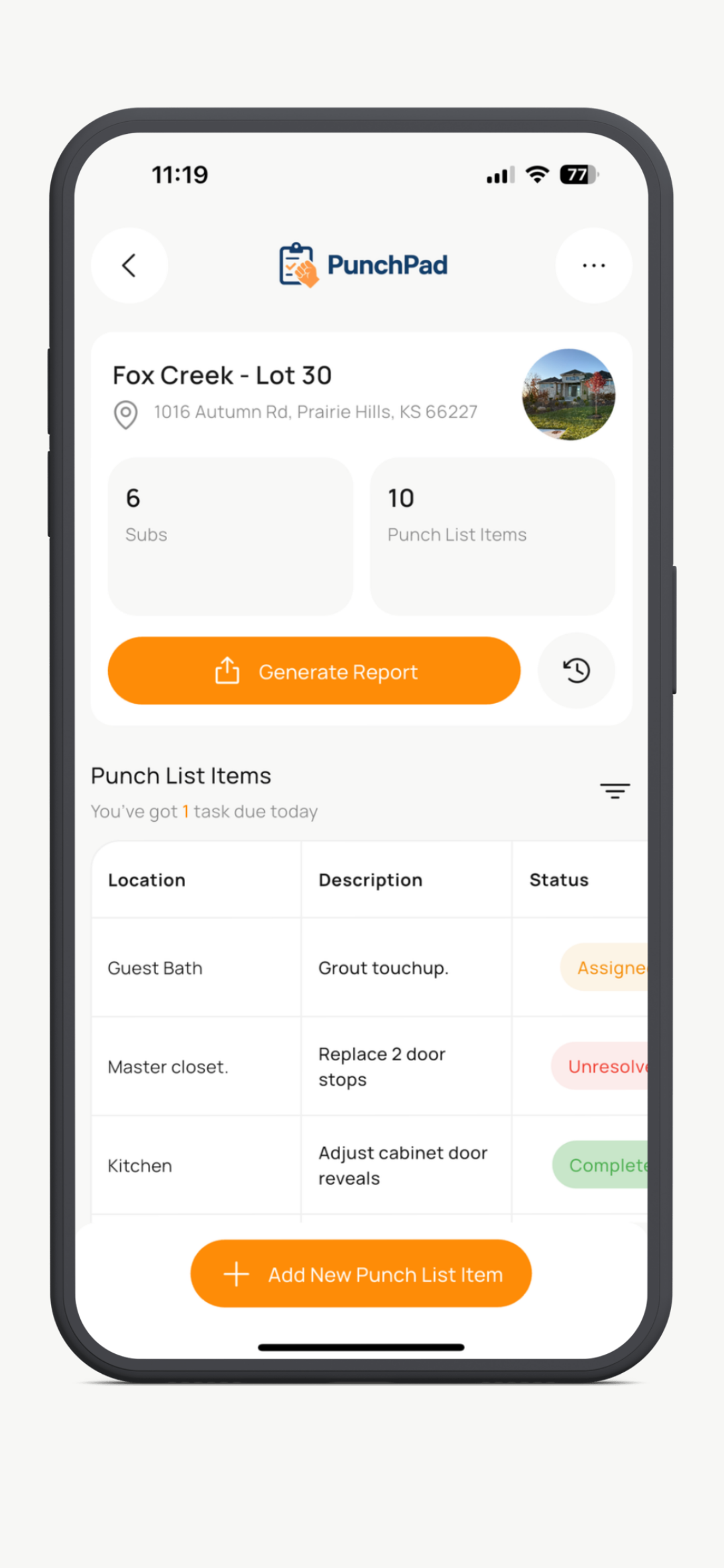
Create and manage your final walkthrough checklist in PunchPad, then share one live report with trades and subcontractors. Whether you call it a final walkthrough, punch walk, or blue tape walkthrough, PunchPad helps you keep the list organized and up to date.
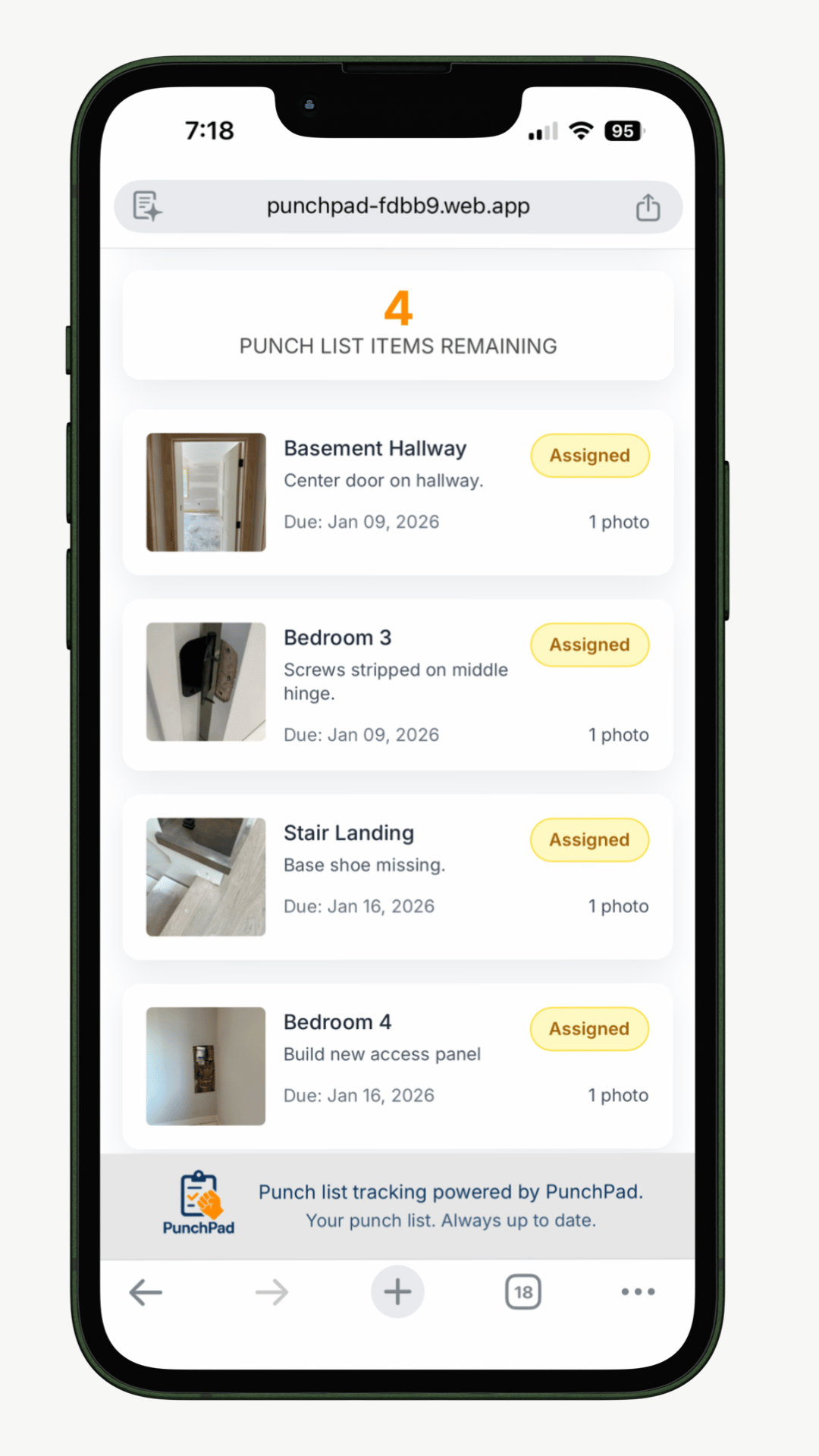
Subs can open the report from any phone, tablet, or computer. No login, no app download, and no subcontractor access required.
You stay in control of the checklist while everyone sees the latest open items, photos, and updates without texts, PDFs, spreadsheets, or re-sending files.
Final Walkthrough Checklists Should Help You Close Out Faster, Not Slow You Down
Most final walkthrough checklists end up spread across notes, text threads, photos, PDFs, and spreadsheets. Every revision creates another version, and trades often end up looking at outdated information.
Some builders try to solve that by giving subs access to full project management software. That usually creates more friction than it removes. Logins, permissions, training, and unnecessary features get in the way when all anyone really needs is a clear list of what is left.
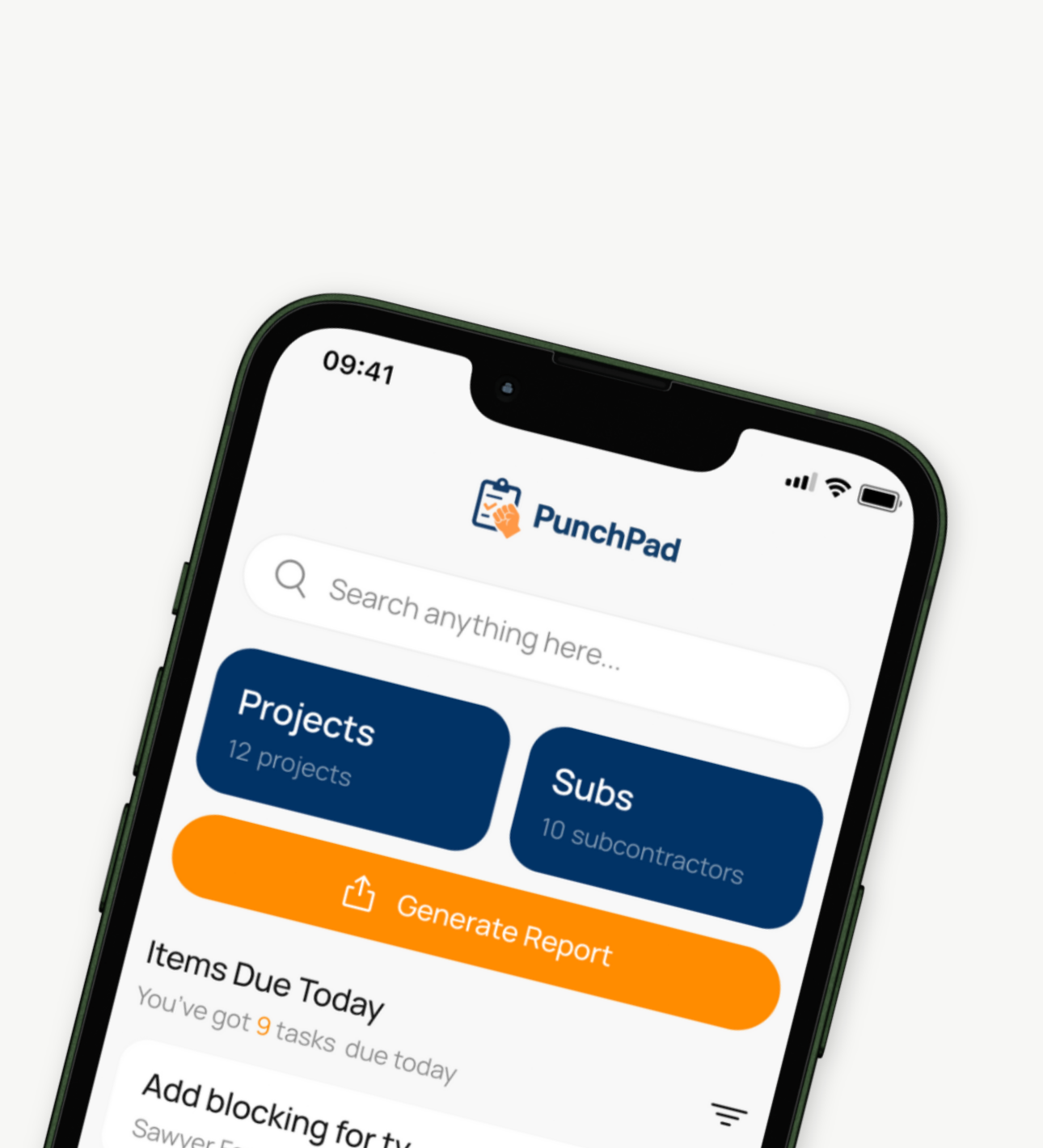
PunchPad takes a simpler approach. You build and manage the final walkthrough checklist inside the app, then share a live report that trades can open with a link. They do not need an account, login, or app download to view it.
That means the superintendent, project manager, office team, and trade partners can all stay aligned on the same up-to-date final walkthrough checklist at the same time.
One link. One checklist. One source of truth.
How to Run a Final Walkthrough Checklist Without Chasing People Down
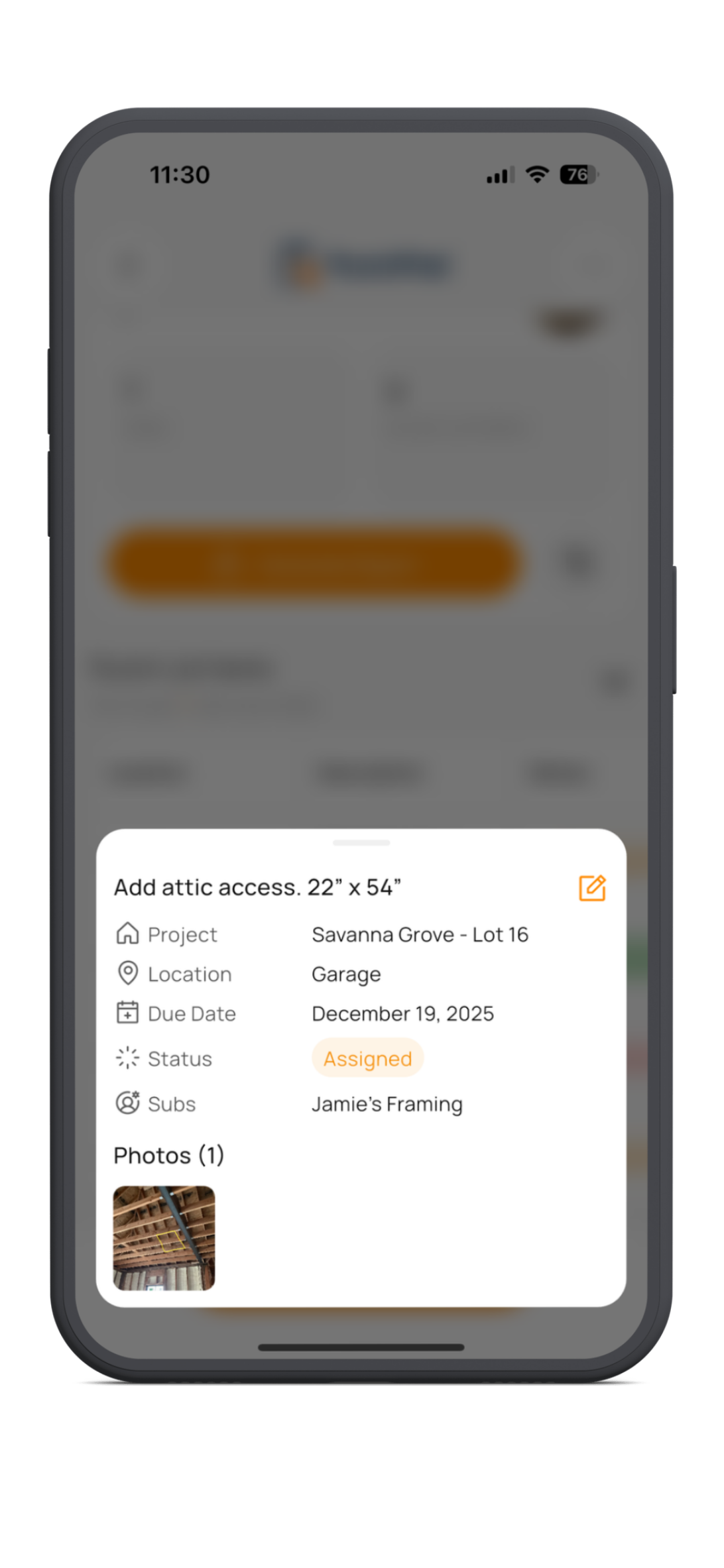
A final walkthrough checklist needs to be fast, clear, and easy to update while you are still on site. Builders need to log issues as they see them, attach a photo, note the room or area, and assign the item to the right subcontractor before it gets forgotten.
With PunchPad, you manage the final walkthrough checklist in the app, then share a live punch list report that trades can open from a link. Trades do not need an account, login, or app download to see the checklist.
Because the report stays live, everyone sees the same current list at all times. When items are added, completed, or updated, the report reflects those changes automatically. No screenshots. No revised PDFs. No confusion about which list is current.
If the system is too slow during a walkthrough, people stop using it. PunchPad keeps the process simple so final walkthrough items actually get completed.
Why Final Walkthrough Checklists Fall Apart When Everything Lives in Different Places
Final walkthrough items usually do not get missed because nobody cares. They get missed because the information is scattered.
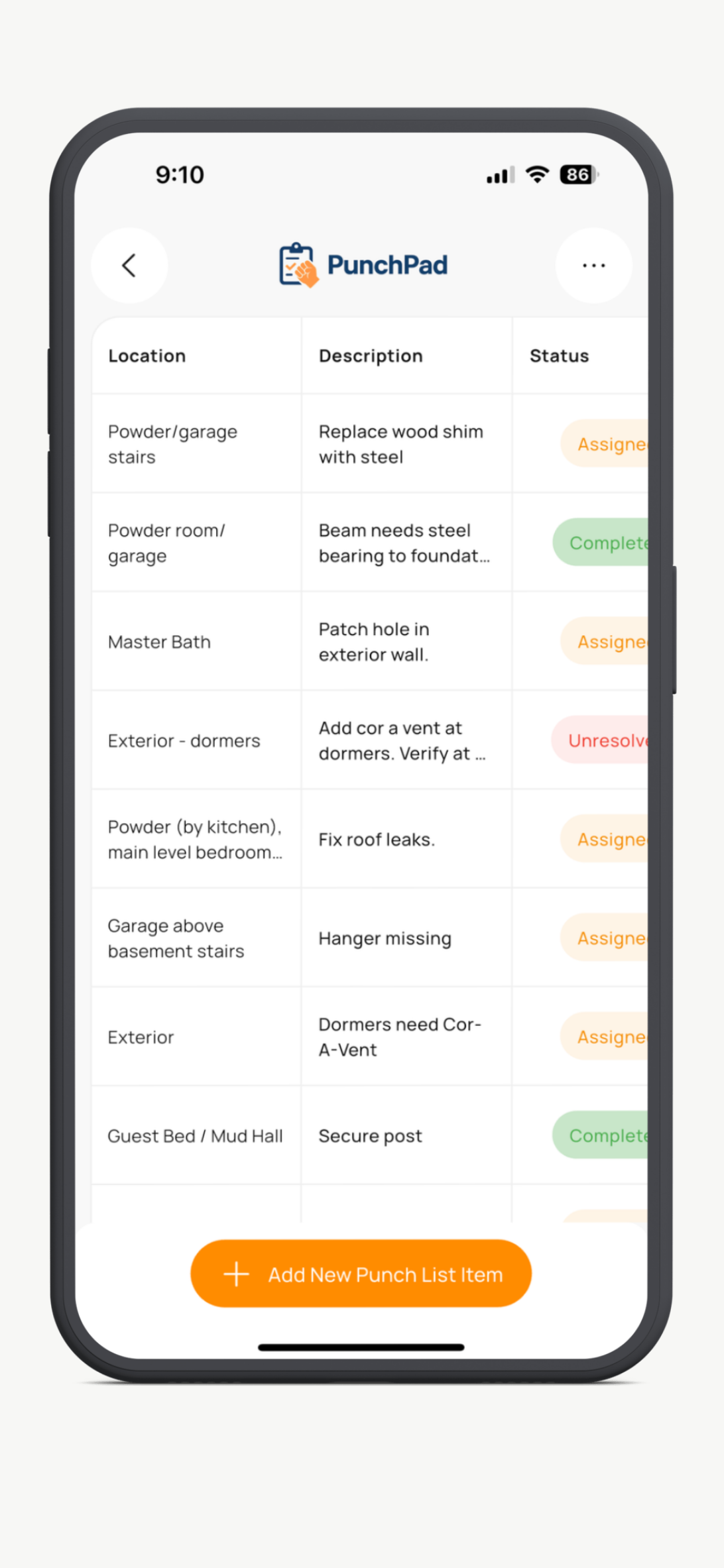
A builder may note one issue in a notebook, text another item to a trade, keep photos on a phone, and send a partial list by email later. Someone says they will take care of it, but it never gets clearly documented. By the time the house is ready to close out, nobody is fully sure what is open, who owns it, or whether it was already addressed.
That leads to repeat walkthroughs, repeated conversations, and unnecessary delays at the worst possible time in the project.
PunchPad solves that by keeping checklist items, photos, locations, and subcontractor assignments in one place, then sharing one live report instead of sending files back and forth.
Different Ways to Handle a Final Walkthrough Checklist, Only One Stays Current
Full project management platforms
Built to manage everything. Too heavy for final walkthrough punch items. Requires logins, permissions, and training just to share a simple list.
PDFs, emails and text threads
Easy to send. Hard to keep updated. Every change creates a new version, and people keep working from old information.
Spreadsheets
Better than scattered notes, but still clumsy in the field. Photos usually live somewhere else, and sharing updates is still manual.
“PunchPad replaced our old final walkthrough lists with a simple system that actually works in the field.”
Why Project Managers Use PunchPad to Track Construction Deficiency Lists
Live Reports That Update Automatically
Share the checklist once and keep moving. As you update items, the live report updates too. No PDFs, no re-sending, no version confusion.
Built Specifically for Punch Lists
PunchPad is a specialized app built exclusively for punch list management, not a bloated all-in-one construction platform. It is focused on helping builders close out projects faster and cleaner.
Easy Access for Trades
PunchPad is a focused field tool for builders, remodelers, and superintendents who need a faster way to run final walkthrough checklists, document open items with photos, and share one live report with subcontractors.
Run Final Walkthrough Checklists Without the Usual Mess
PunchPad is a specialized final walkthrough checklist app built for builders who need to document open items, attach photos, and share one live report without spreadsheets or bloated project management software.
Cancel anytime


- Share live final walkthrough reports with trades and subcontractors
- Trades are view-only. You control all updates
- Attach photos, tag trades, and track final walkthrough items
- Built for builders, remodelers, GCs, and superintendents
Questions? support@punchpad.app
FREQUENTLY ASKED QUESTIONS
What is a final walkthrough checklist?
A final walkthrough checklist is a list of incomplete, damaged, incorrect, or unfinished items identified near the end of a construction project. Builders use it to track what still needs to be corrected before closeout, turnover, or final payment.
Is a final walkthrough checklist the same as a punch list?
Yes. In residential construction, a final walkthrough checklist is often the punch list created near the end of the job. PunchPad is built specifically to manage that process.
What is a blue tape walkthrough?
A blue tape walkthrough is another term builders and homeowners use for the final walkthrough near the end of a project. It refers to walking the home, marking items that need attention, and building the final punch list before closeout.
Do subcontractors need a PunchPad account to view the final walkthrough checklist?
No. Subcontractors do not need a PunchPad account, login, or app download. You share a live report link, and they open it in any browser on their phone, tablet, or computer.
Can subcontractors add items or mark checklist items complete?
No. Subcontractors are view-only. Only the app user can add items, edit details, or mark items complete. That keeps the final walkthrough checklist accurate and under your control.
What happens if I update the checklist after I send it?
The live report updates automatically. You do not need to resend a new link, PDF, or screenshot. Anyone viewing the report sees the latest version.
Can I attach photos to final walkthrough items?
Yes. You can attach photos, add notes, assign the item to a subcontractor, and include the room or area so everyone knows exactly what needs to be addressed.
Why use PunchPad instead of a spreadsheet for final walkthrough checklists?
Spreadsheets are slow in the field and hard to keep updated once multiple people are involved. PunchPad is faster on site, keeps photos tied to each item, and lets you share one live report instead of manually updating and re-sending files.
Is PunchPad only for final walkthroughs?
No. PunchPad is built for punch lists throughout the job, from early walkthroughs to closeout and warranty work. Final walkthroughs are just one of the most common use cases.
Who is this built for?
PunchPad is built for builders, general contractors, remodelers, superintendents, and project managers who need a simple way to track punch list items and share them with trades.
Will this work on a jobsite?
Yes. PunchPad works on iPhone and Android phones and tablets. Live reports can be opened on any device with a web browser.