
Punch List Management That Keeps Subs Accountable
Capture every punch item, assign it to a trade, share one live link, and sign off when the work is actually done. No chasing subs by text. No resending PDFs.
Start Your Free Trial
No credit card required.


Why Punch List Management Falls Apart
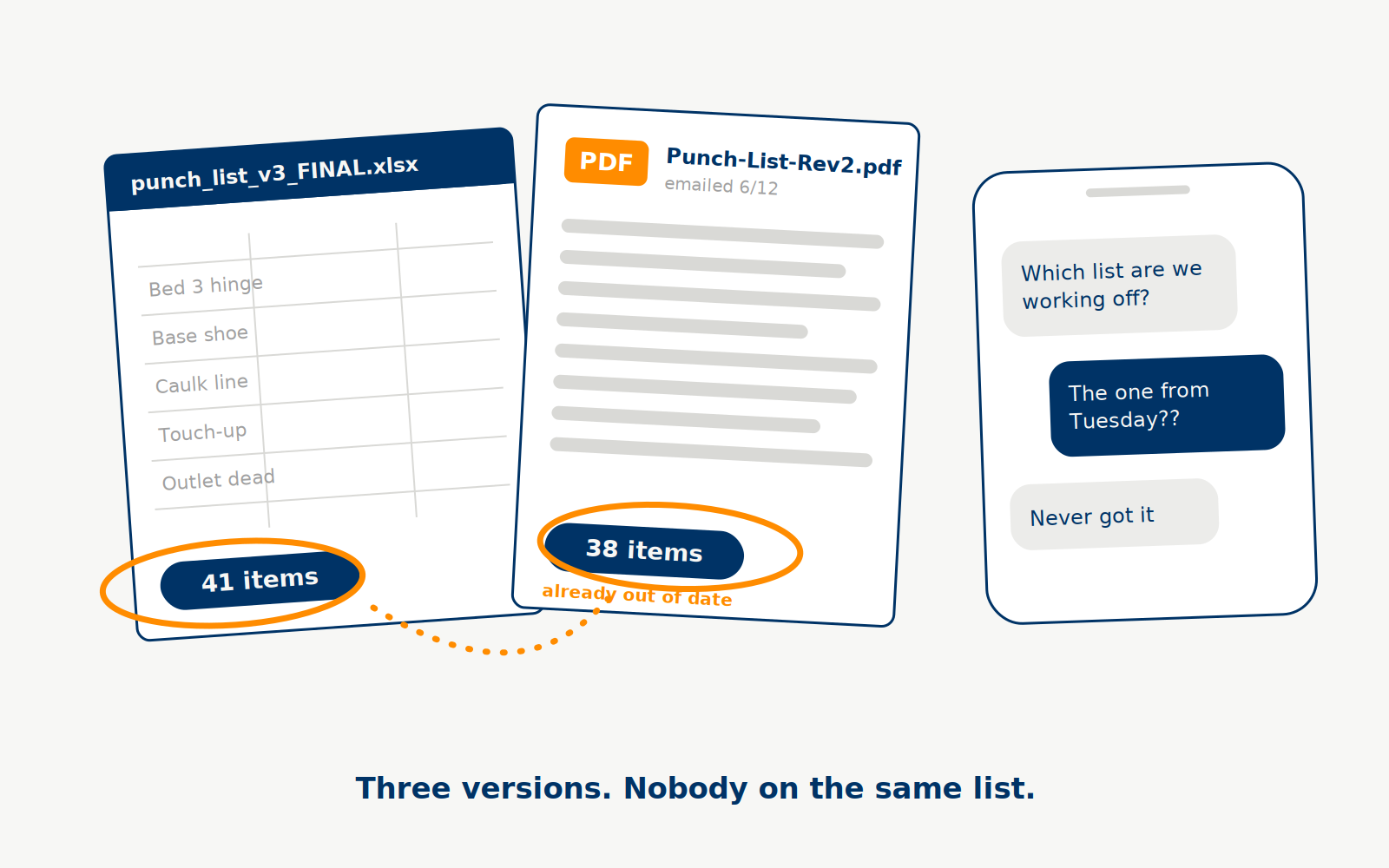
Most punch lists do not fail on the walkthrough. They fail in the two weeks after it. The list lives in a spreadsheet on your laptop, the photos live on your phone, and the follow-up lives in six different text threads.
Then the list changes. You fix three items, add four more, and email version two. Half your subs are still working off version one. Nobody knows which items are open, which are done, and which got argued about in a group text nobody can find.
The result is the same on every job: items with no owner, subs who say they never got the list, and a final walkthrough that turns up work you flagged a month ago.
That is not a discipline problem. It is a system problem. Managing a punch list on paper, spreadsheets, and texts means managing versions instead of managing work.
Built by a custom home builder.
Trusted by pros.
The Four Jobs of a Punch List System
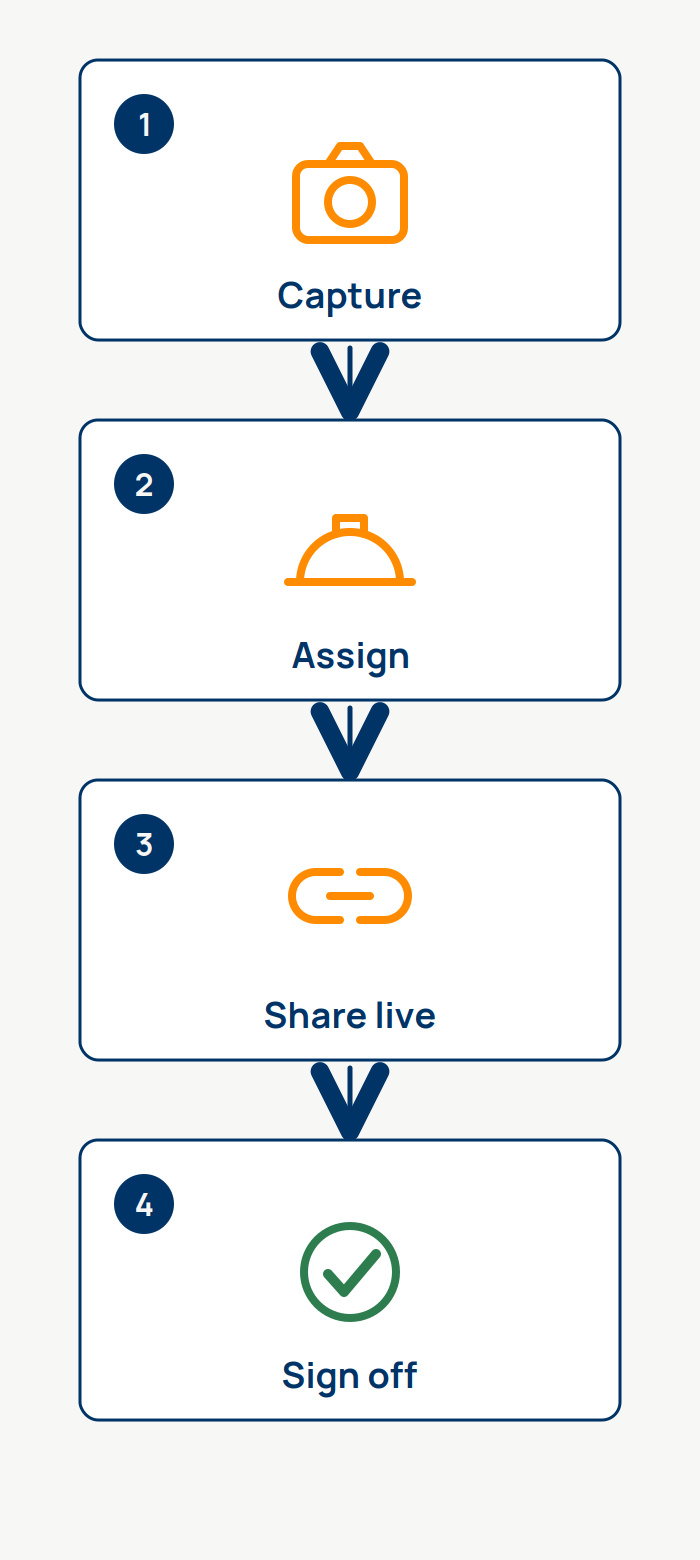
Construction punch list management comes down to four jobs. Capture the item before it leaves your head. Assign it to the trade that owns it. Share one live list every sub works from. Close each item out yourself when the work passes. That is the whole punch list process.
Do those four things on every walkthrough and closeout gets boring, in the best way. Miss any one of them and you are back to chasing subs and re-walking rooms.
PunchPad is built to run exactly that loop and nothing else. If you want the full background on what belongs on a punch list and how the process fits into a build, start with the complete punch list guide. This page is about running it day to day.
Capture Punch Items the Moment You See Them
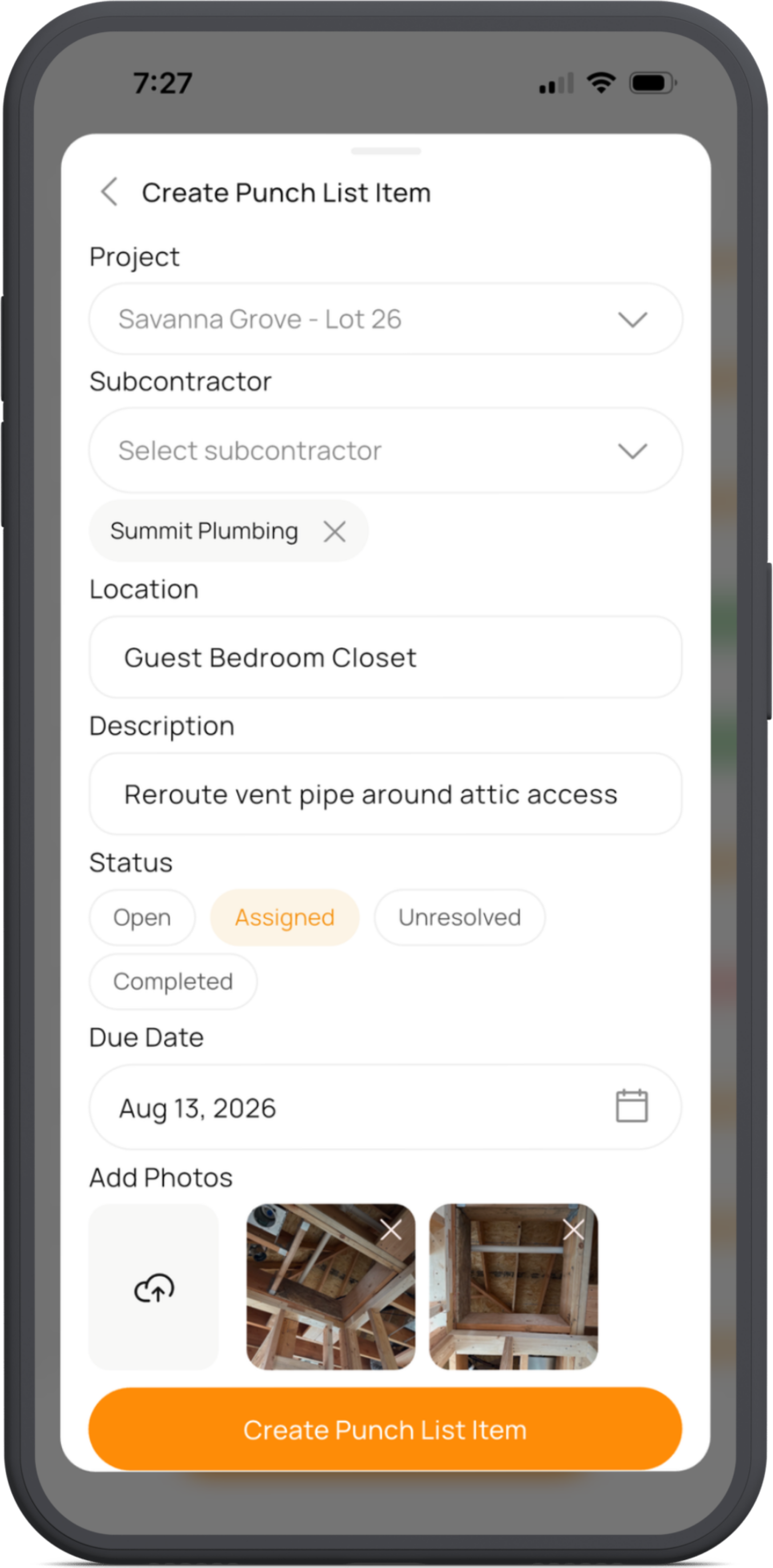
A punch item you plan to write down later is a punch item you lost. Real punch list management starts with capture speed: log the issue while you are standing in front of it.
In PunchPad, one punch item takes seconds. Snap a photo, tag the location, set a due date, and assign the trade. Keep walking. By the end of the walkthrough the list is already built, already organized, and already assigned. There is no cleanup session at the trailer and no deciphering notes from three rooms ago.
Every detail stays tied to the item. The photo, the room, the owner, the deadline. When a sub asks which door hinge, the answer is in the item, not in your memory.
Give Every Punch Item an Owner
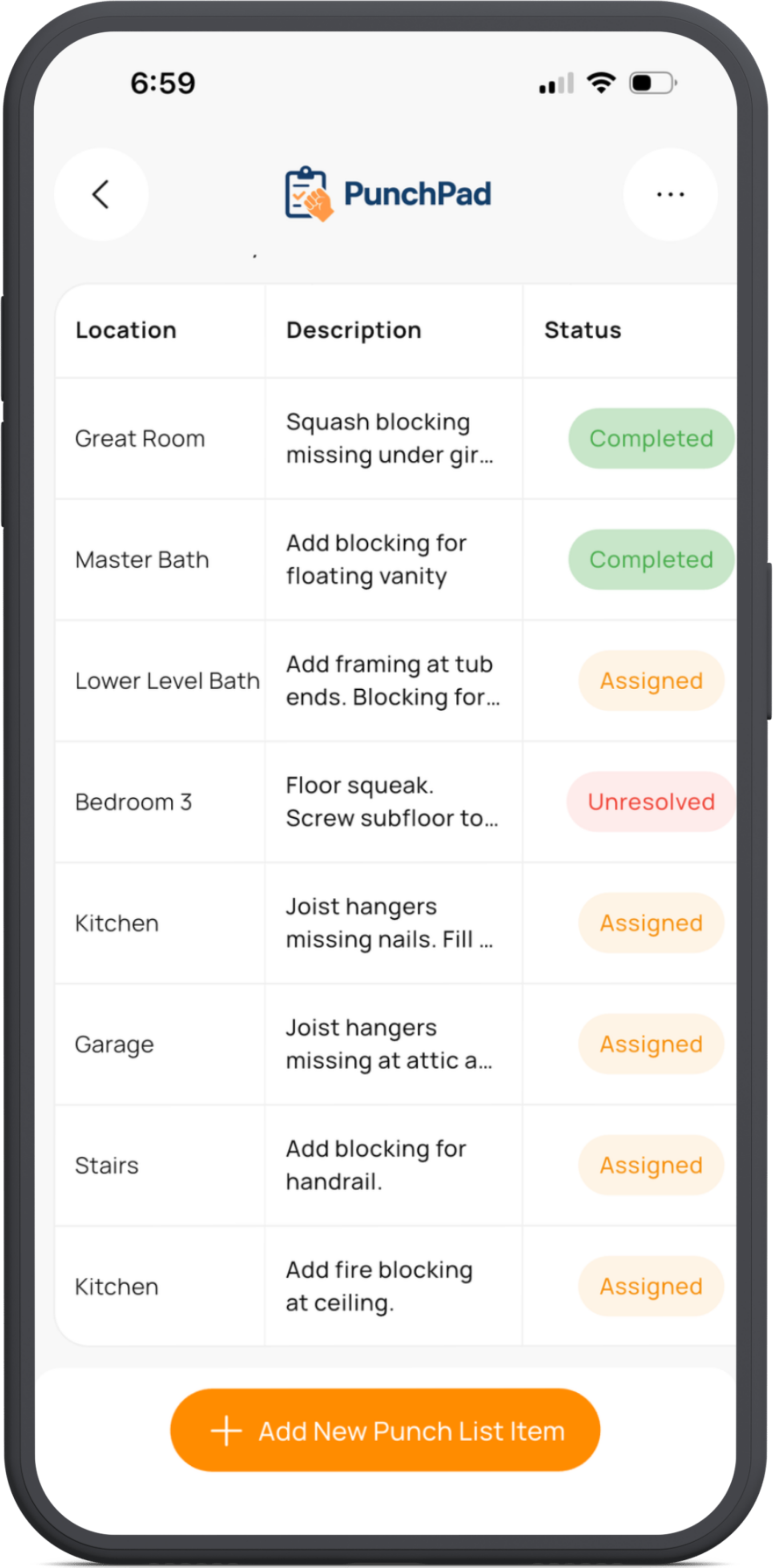
An unassigned punch item is nobody's problem. That is how a missed caulk line survives four walkthroughs.
In PunchPad, every item gets assigned to a trade when you log it. The painter owns the touch-ups. The electrician owns the dead outlet. The trim carpenter owns the base shoe on the stair landing. There is no pile of general to-dos waiting for someone to claim them.
Punch item management comes down to ownership. When every item has a name on it, "I did not know that was mine" stops being an excuse.
See how home builders are using the iPad punch list app to manage their projects in the field.
One Live Link Keeps Every Sub Accountable
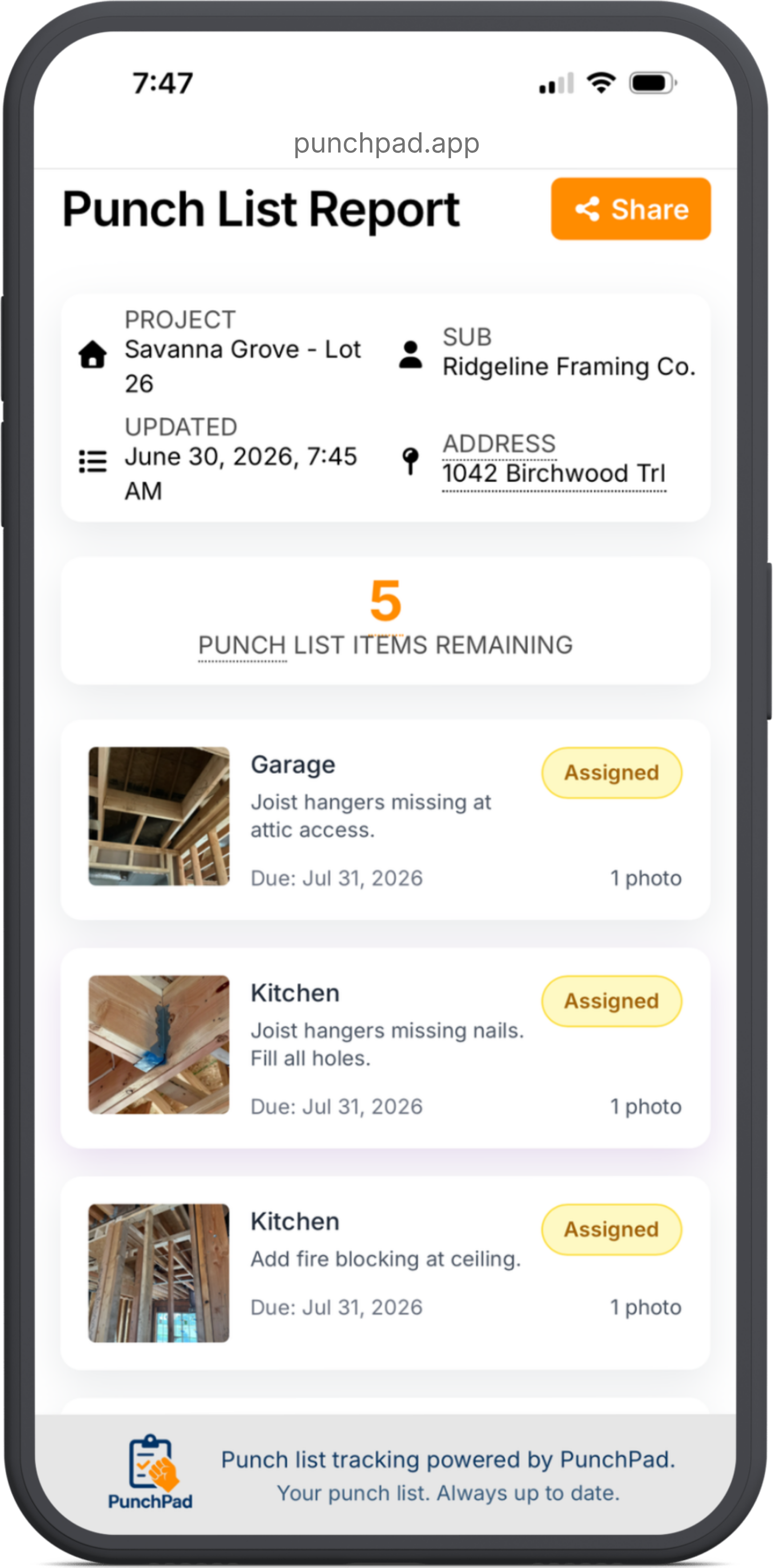
Here is where most punch list management breaks: getting the list in front of subs and keeping it current. Emailing PDFs means resending PDFs. Texting screenshots means old screenshots. Every update creates a new version, and every version creates confusion a sub can hide behind.
PunchPad replaces all of it with one live report link per project. Text it or email it once. The sub opens it in any browser on any phone. No login, no account, no app to download, no excuse.
The link updates automatically. Add an item Tuesday, and the sub who opens the link Wednesday sees it. Sign off on completed work, and it moves off their open list. Everyone reads from the same page because there is only one page.
When a sub says he never got the list, you resend one link, not a fresh PDF. When he says he did not know about an item, the item is sitting in his live report with a photo and a due date. The conversation gets short.
Ready to run your next walkthrough this way?
Download PunchPad and build your first list in the field.
The Builder Signs Off. Not the Sub.
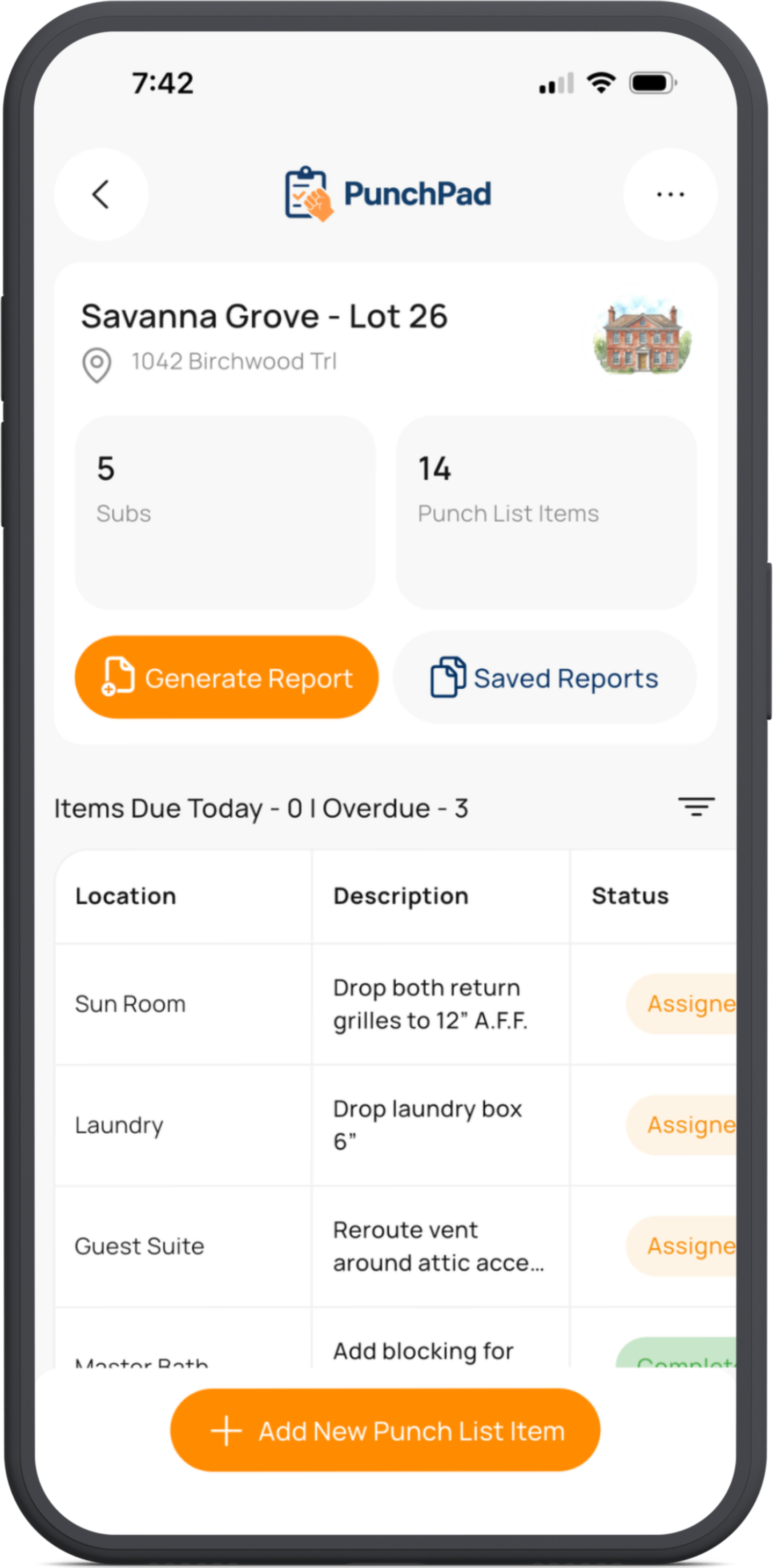
"Done" from a sub and "done" from the builder are two different standards. Any punch list system that lets subs close their own items is letting them grade their own work.
PunchPad puts status control where it belongs. Items move through open, assigned, unresolved, and complete, and only the builder marks complete. The sub does the work. You verify it. Then it comes off the list.
If the work does not pass, the item stays open and the sub sees it is still open in the live report. No deleted rows, no disputed checkmarks, no "I marked that off last week." The list reflects what you have signed off, not what somebody claims.
Punch List Management Software Without the Bloat
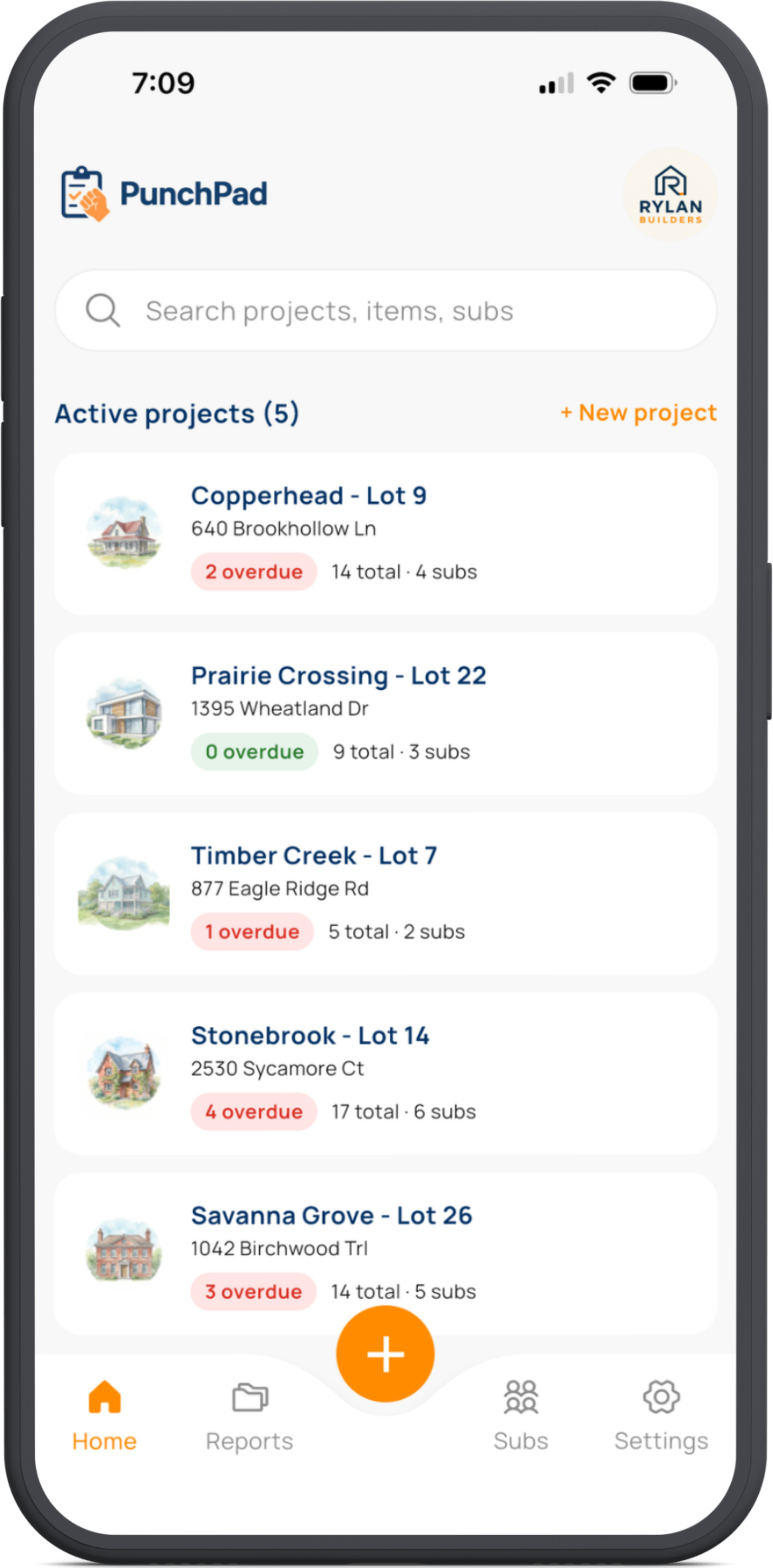
PunchPad does not do schedules, budgets, RFIs, or daily logs. That is on purpose. It was built by a custom home builder in Kansas City who already had software for all of that and still ran punch lists in Notes and spreadsheets, because nothing did the punch list job well.
Most punch list management software is a module buried inside a platform that costs hundreds a month. You pay for schedules and budgets you already have somewhere else, and the punch list feature nobody opens. PunchPad is the opposite. The whole product is the punch list.
Single-purpose is why it is fast in the field and why subs actually use the reports. There is nothing to learn, nothing to configure, and nothing standing between you and logging an item one-handed on a walkthrough.
If you want to see the full feature set, the punch list app page covers it. If you want to see it on your own jobsite, the trial takes one walkthrough to judge.
FREQUENTLY ASKED QUESTIONS
How do I keep subs accountable on a punch list?
Give every punch item an owner, a photo, and a due date, then keep the list in front of the sub. PunchPad assigns each item to a trade and shares one live report link the sub can open anytime. When the list is current and visible, there is no version to hide behind.
What is punch list management?
Punch list management is the ongoing process of capturing punch items, assigning them to trades, tracking follow-through, and verifying completion on a construction project. It runs through the whole build, not just the final walkthrough. A good system makes each of those steps fast and visible.
How do I send a punch list to my subcontractors?
In PunchPad you text or email one live report link per project. The sub opens it in any browser and sees his assigned items with photos, locations, and due dates. The link updates automatically, so you never resend a revised list.
Do subcontractors need an app or a login to see the punch list?
No. Subs open the live report link in any browser on any device. There is no account, no password, and no app download for subs.
Who marks punch list items complete?
The builder does. Subs cannot mark items complete in PunchPad. Work comes off the list when you verify it and sign off, so the list always reflects your standard, not a claim.
What happens if a sub says an item is done but it is not?
The item stays open. You control status, so unverified work never disappears from the list. The sub sees the item is still open in the live report, with the photo showing what was flagged.
When should punch list management start on a build?
At framing, not at final. Builders run punch lists during framing walkthroughs, pre-drywall checks, trim punch, and paint touch-ups. Items caught early are cheaper to fix and keep the final walkthrough short.
Can I filter a punch list by sub or location?
Yes. PunchPad filters by sub, location, status, and due date. Pull up one trades open items before a phone call, or one rooms items before you walk it.
How do I manage punch lists across multiple projects?
PunchPad includes unlimited projects and unlimited punch items on one subscription. Each project keeps its own list and its own live report link, so items never mix between jobs.
Is PunchPad a project management app?
No. PunchPad is a dedicated punch list tool. There are no schedules, budgets, or RFIs. It does one job so it can be fast in the field and simple for subs.
How much does punch list management software cost?
PunchPad is 12 dollars per month or 120 dollars per year, flat. Unlimited projects, unlimited items, no per-user fees. The 7-day free trial requires no credit card.
Can I use a punch list for warranty work after closeout?
Yes. Builders keep using PunchPad after move-in to log and track warranty items the same way, with photos, trade assignment, and the same live report link workflow.