
Jobsite Issue Tracker for Builders Managing Problems Before They Become Callbacks
Log field issues during active construction, assign the right trade, attach photos, and keep one live issue report current from walkthrough to resolution.
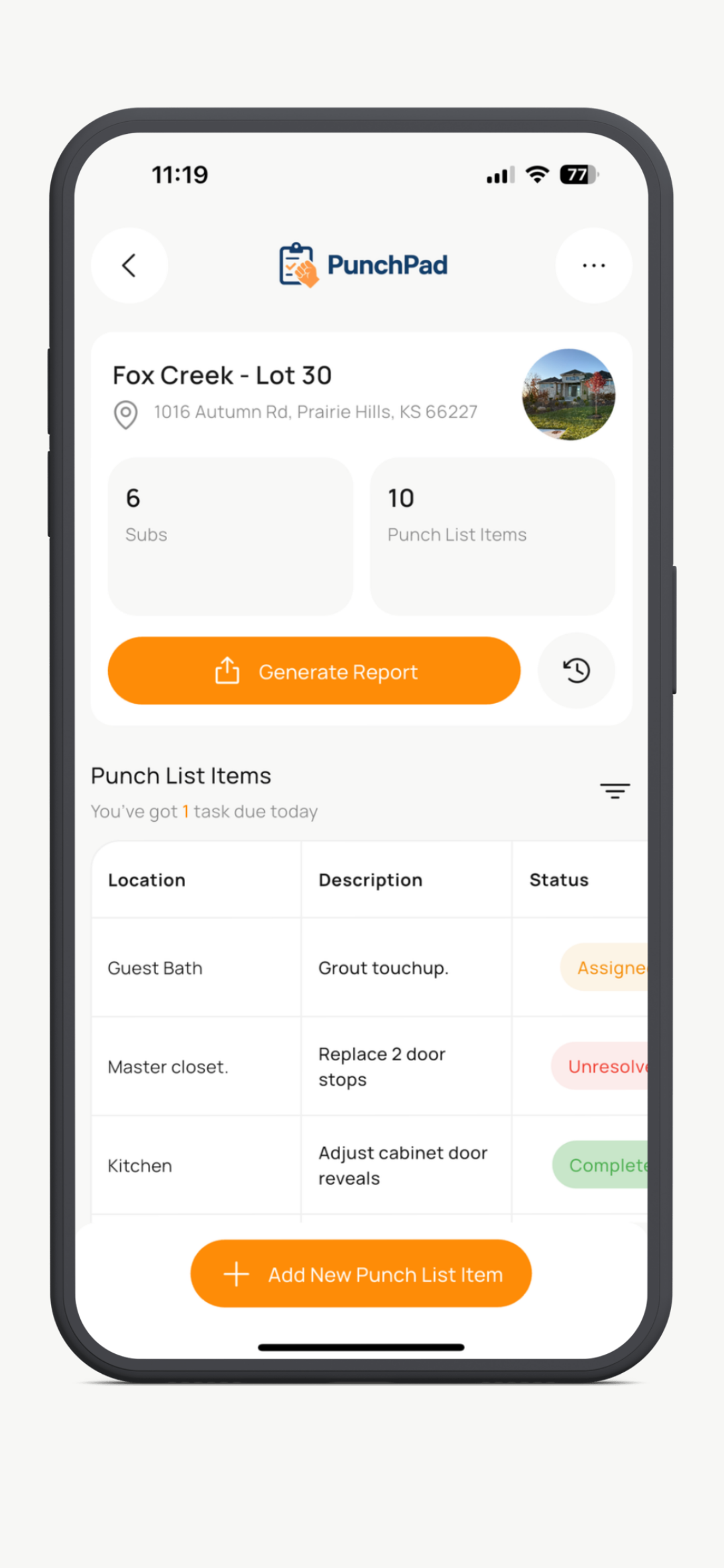
PunchPad helps builders track jobsite issues while the work is still happening. Use it during framing, rough-ins, finishes, and close-out to document field problems, assign responsibility, and keep every issue visible until it is actually resolved.
This is not bloated project management software. It is a specialized field tool built exclusively for issue tracking on active jobsites.
Built for tracking field issues early, not rebuilding the story later from texts, memory, and scattered photos.
Why Jobsite Issues Get Missed on Construction Projects
Jobsite issues aren’t missed because builders are careless. They’re missed because walkthroughs move fast and tracking relies on memory instead of a system.
Notes get written down and lost. Photos stay on phones. Responsibility gets discussed verbally. By the time the issue shows up again, it’s unclear when it was noticed, who was supposed to fix it, or whether it was ever documented at all.
Without a clear construction issue log, small problems quietly turn into big ones.
How Jobsite Issues Are Usually Tracked (And Why It Breaks Down)
Most builders don’t lack effort — they lack a system that works in the field.
Paper Lists
Paper works for about five minutes. Then it gets folded, smudged, rewritten, or forgotten. There’s no timestamp, no photo record, and no clean history of what was actually fixed versus what just got crossed off.
Spreadsheets
Spreadsheets look organized until you try to use them on a jobsite. They’re slow on phones, awkward during walkthroughs, and disconnected from photos. Most are already outdated by the time you leave the site.
Texts and Calls
Texting issues to subs feels fast, but nothing sticks. Messages get buried. Details get missed. There’s no single place to see what’s still open, what’s resolved, and what’s quietly falling through the cracks.
Full Project Management Software
All-in-one construction software is powerful, but it’s overkill for simple issue tracking. Builders don’t need schedules, budgets, and documents just to flag a missed detail — which is why these tools often don’t get used during daily walkthroughs.
How Builders Should Track Jobsite Issues in the Field
A real jobsite issue tracker needs to work during active construction, not just at final punch.
Spot the issue during the walkthrough
Log it immediately before it gets buried
Attach a photo so the problem is obvious
Tag the correct trade while they are still accountable
Keep one live issue report instead of scattered updates
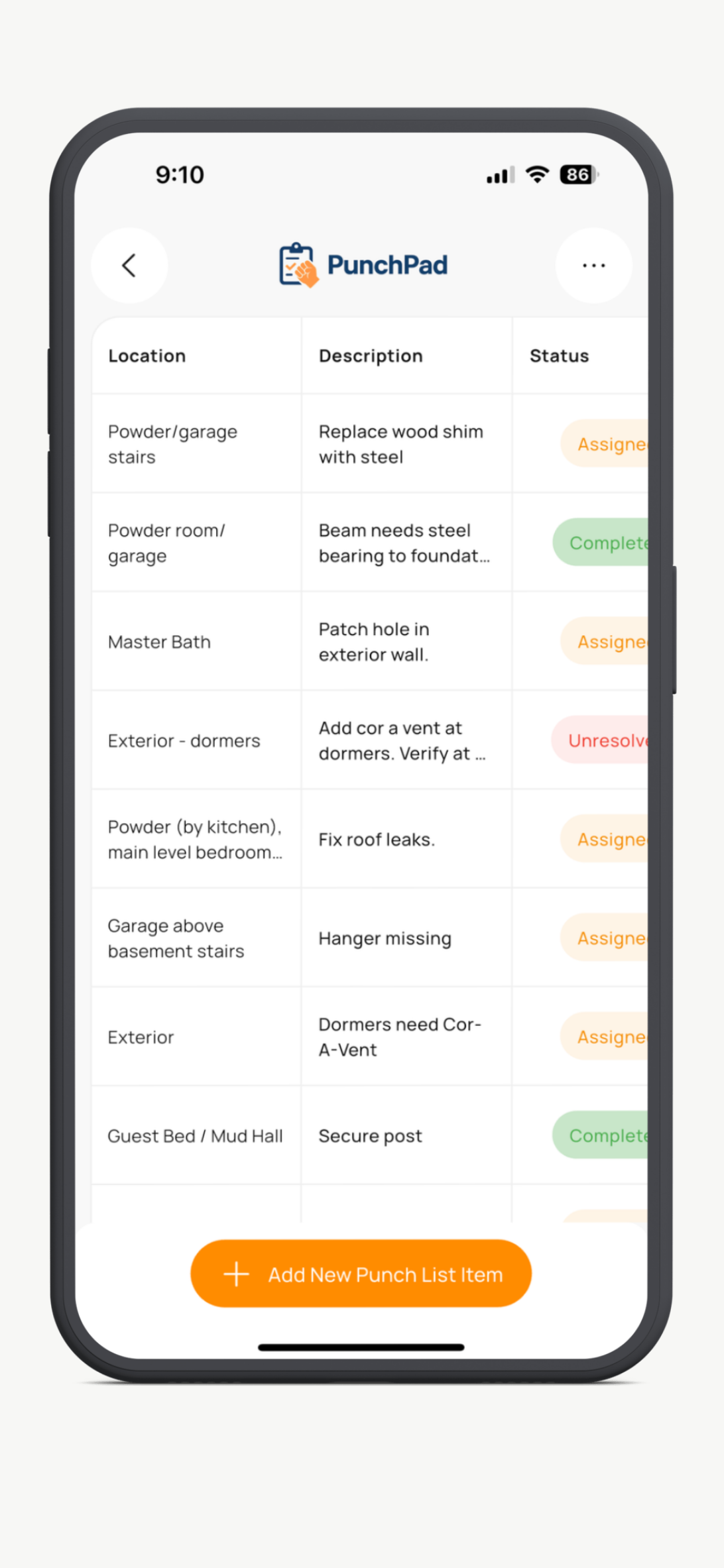
Review open issues by status, trade, or location until closed
The goal is not to create more admin. The goal is to make sure field issues stay visible long enough to get fixed correctly.
What Actually Works on a Busy Jobsite
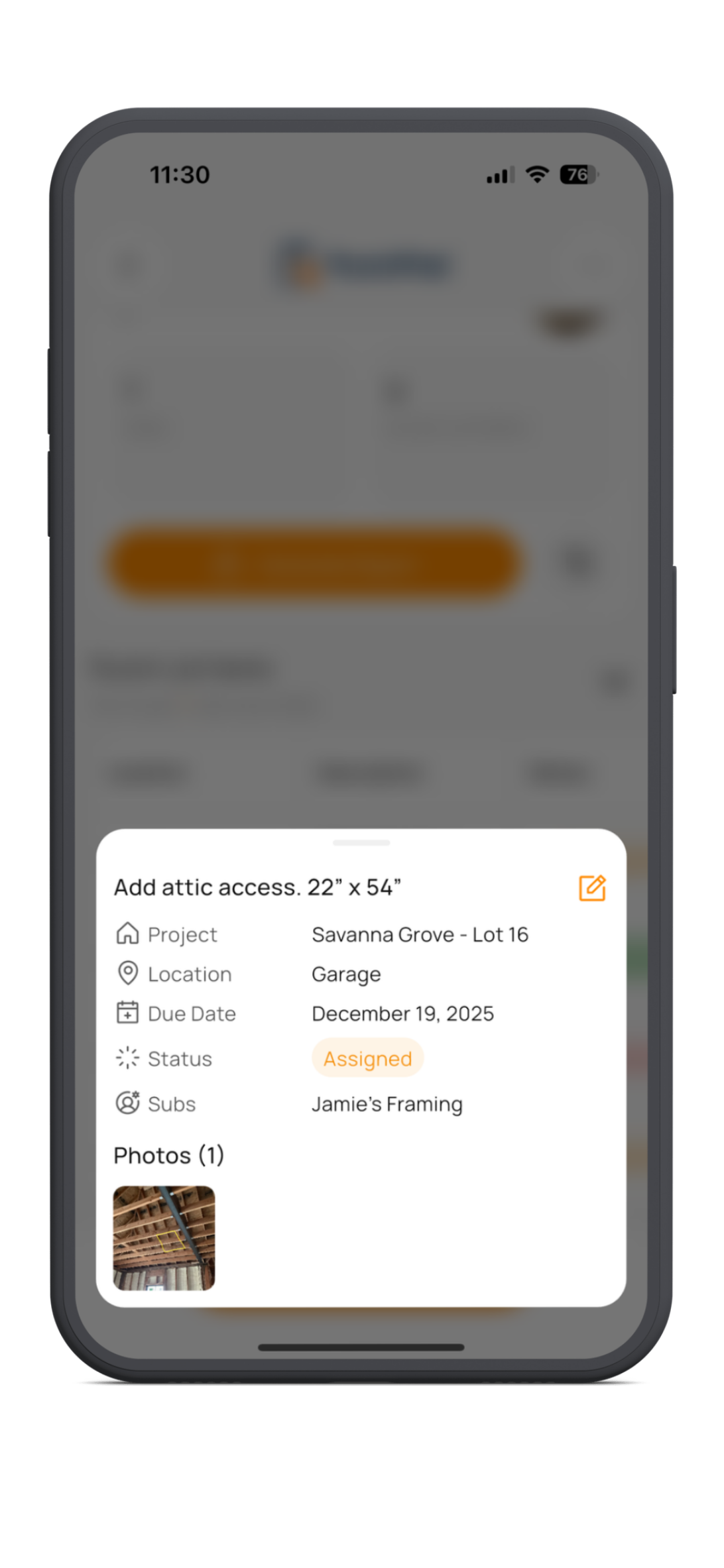
A jobsite issue tracker only works if it is fast enough to use during the walk. Builders need to see a problem, open the app, log the issue, attach a photo, tag the trade, and keep moving.
It also needs to keep context attached to the issue itself. The photo, location, status, due date, and responsible subcontractor should stay tied together so no one is guessing what was wrong, where it was found, or whether it has already been addressed.
When issue tracking is clear in the field, fewer items get missed, fewer details need to be explained twice, and fewer callbacks show up later.
Share Jobsite Issues With One Live Report
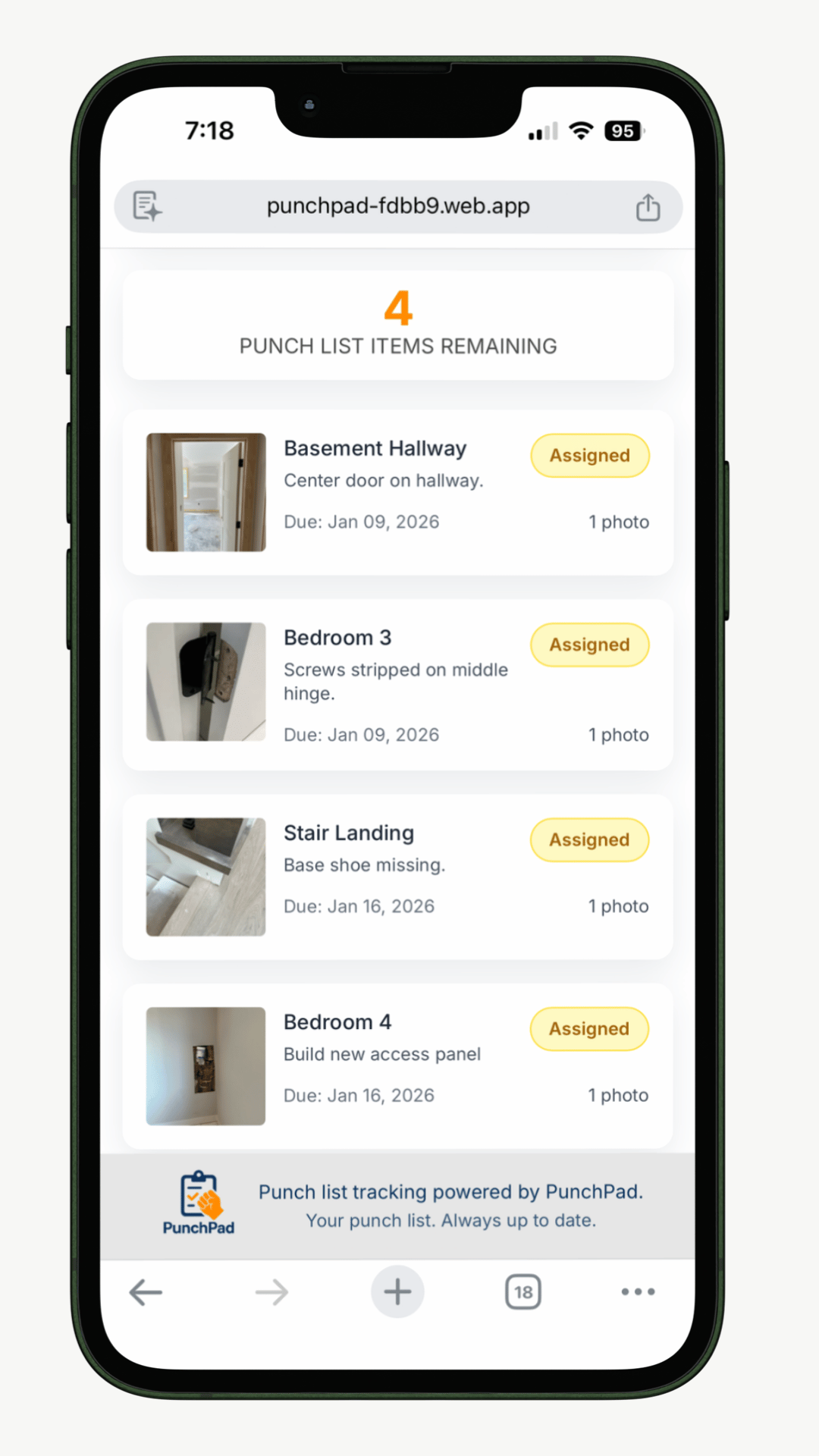
PunchPad lets builders share a single live jobsite issue report by link. Subcontractors do not need an account, app, or login. Everyone sees the same open issues, attached photos, statuses, and remaining work in one place.
That means no retyping notes, no resending PDFs, and no guessing which version is current. Trades can open the report in their browser, forward it to the field crew, and work from the same up-to-date information you see.
One report. One current list. One clear record of what still needs attention.
PunchPad is a jobsite issue tracker app built exclusively for builders who need field issue tracking without the overhead of a full project management platform.
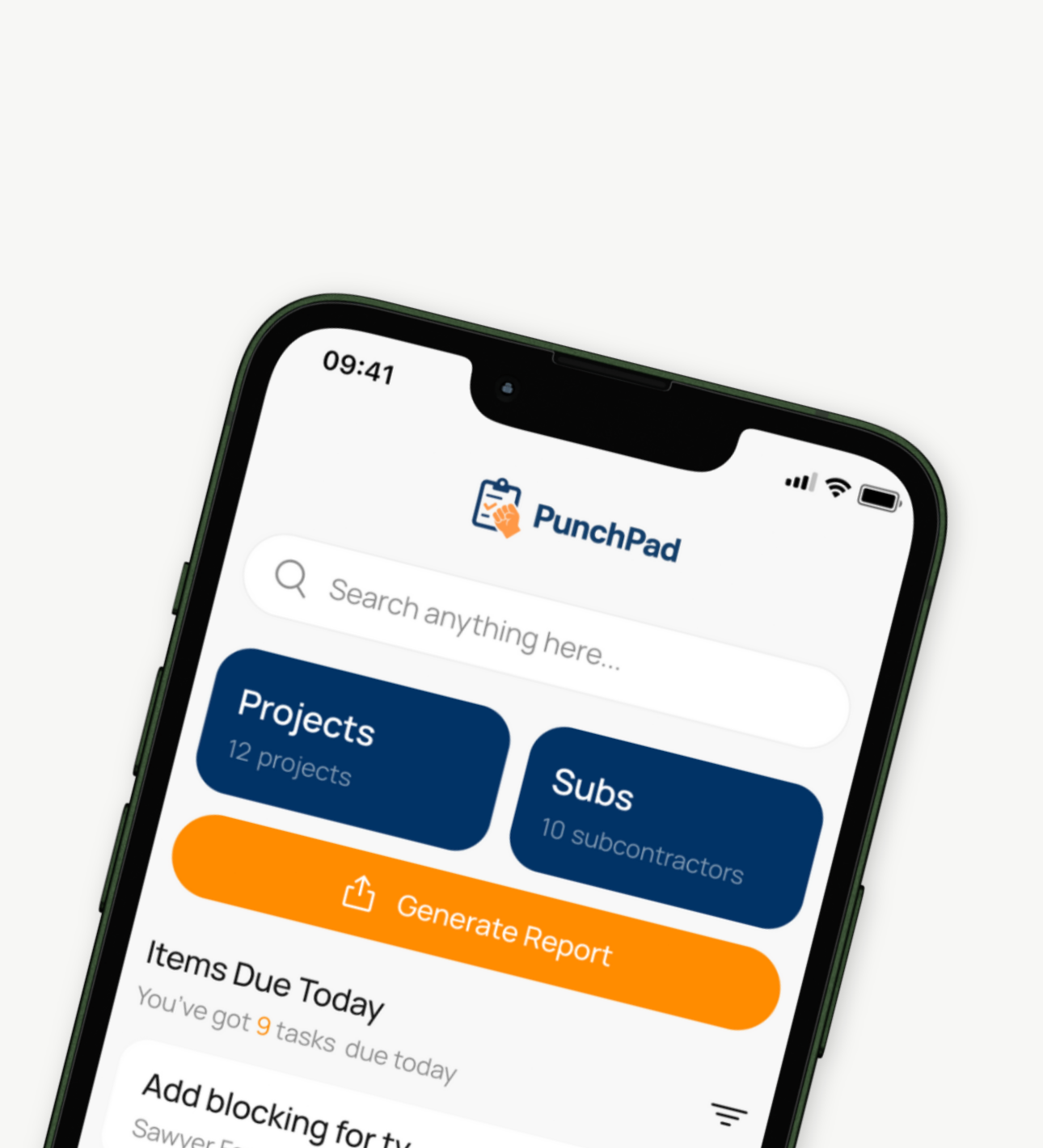
How Builders Use PunchPad to Track Jobsite Issues
Builders use PunchPad to document field issues throughout construction, not just at close-out. It gives you one place to track framing misses, rough-in conflicts, finish defects, incomplete work, and follow-up items without bouncing between notes, texts, spreadsheets, and photos.
It is especially useful during daily walkthroughs, pre-drywall checks, finish-stage inspections, client-prep walks, and warranty follow-up when issues need to stay visible until they are actually resolved.
Log jobsite issues during active construction
Attach photos for proof and clarity
Assign responsibility by trade
Share one live issue report
Track open, in-progress, and resolved items
Keep a clean issue history without extra admin
Examples of Jobsite Issues Builders Track With PunchPad
Builders use PunchPad to track much more than final punch items. Common examples include framing corrections, rough-in conflicts, missing blocking, damaged finishes, failed install details, incomplete subcontractor work, inspection follow-ups, and client-prep issues found before walkthroughs.
Framing issues: missing hardware or out-of-square opening
Rough-in issue: plumbing, HVAC, or electrical conflict
Finish issue: chipped tile, paint miss, trim gap, cabinet adjustment
Coordination issue: one trade blocking the next trade’s work
Inspection issue: correction item that must be verified before moving on
Client-prep issue: detail that should be fixed before the owner sees it
Track Jobsite Issues Before They Turn Into Rework
PunchPad gives builders one clean system for documenting field issues, tagging trades, sharing live reports, and keeping every issue visible until it is resolved. Built for punch lists, field issues, and the details that need to get finished.
Cancel anytime


- Share live jobsite issue reports by link
- Subs are view-only so you control every update
- Attach photos, tag trades, and track status
- Built exclusively for builders, GCs, and remodelers
Questions? support@punchpad.app
FREQUENTLY ASKED QUESTIONS
How do builders track jobsite issues effectively?
Builders track jobsite issues most effectively by documenting them during walkthroughs, attaching photos, assigning responsibility, and keeping everything in a single construction issue log that stays current. When issues are captured as they’re found, they don’t get forgotten or duplicated later.
What is a jobsite issue tracker?
A jobsite issue tracker is a system used to document construction problems found during a build, attach photos, assign responsibility, and track progress until each issue is resolved. It replaces scattered notes, texts, and spreadsheets with one clear list.
What is a construction issue log?
A construction issue log is a running list of unresolved jobsite issues that records what was found, where it occurred, who is responsible, and whether the issue has been resolved. It provides a clear record of open and completed work throughout a project.
What’s the difference between jobsite issues and a punch list?
Jobsite issues are tracked throughout the build as work is happening. A punch list is usually the shorter unresolved list that remains near the end of a phase or before close-out. In practice, builders use a jobsite issue tracker to catch and manage problems early so the final punch list stays smaller and cleaner.
Why don’t spreadsheets work for tracking construction issues?
Spreadsheets are slow to update in the field, difficult to use on phones, and don’t handle photos well. As a result, they quickly fall out of date and fail to reflect the real status of jobsite issues.
How do builders share jobsite issues with subcontractors?
The most effective approach is a single shared list that’s always current. A live jobsite issue report allows subcontractors to see open and completed items without logging into software or sorting through emails and attachments.
Can tracking jobsite issues early reduce rework and callbacks?
Yes. Catching and documenting jobsite issues early helps prevent small problems from turning into rework, schedule delays, and callbacks after trades have already left the site.
Is there a simple alternative to spreadsheets and texting for jobsite issues?
Yes. Many builders use a dedicated jobsite issue tracker that lets them log issues during walkthroughs, attach photos, assign responsibility, and share one live report that stays up to date. PunchPad is built specifically for this, without the extra steps and complexity of full project management software.
What kinds of jobsite issues should builders track during construction?
Builders should track any field issue that can create rework, delay another trade, confuse the client, or turn into a callback later. That includes framing conflicts, rough-in coordination problems, finish defects, missing hardware, incomplete work, and follow-up items found during walkthroughs.
When should a builder use a jobsite issue tracker instead of waiting for final punch?
A jobsite issue tracker should be used throughout the build, especially during daily walkthroughs, trade handoffs, pre-drywall checks, finish inspections, and client-prep walks. The earlier issues are logged, the easier they are to fix while trades are still accountable.